
Configuration dag
Summary
Configuration DAG(Database availability groups)
Prerequisites
- Two Exchange Machine(Domain Joined)
- One Witness Server
Design
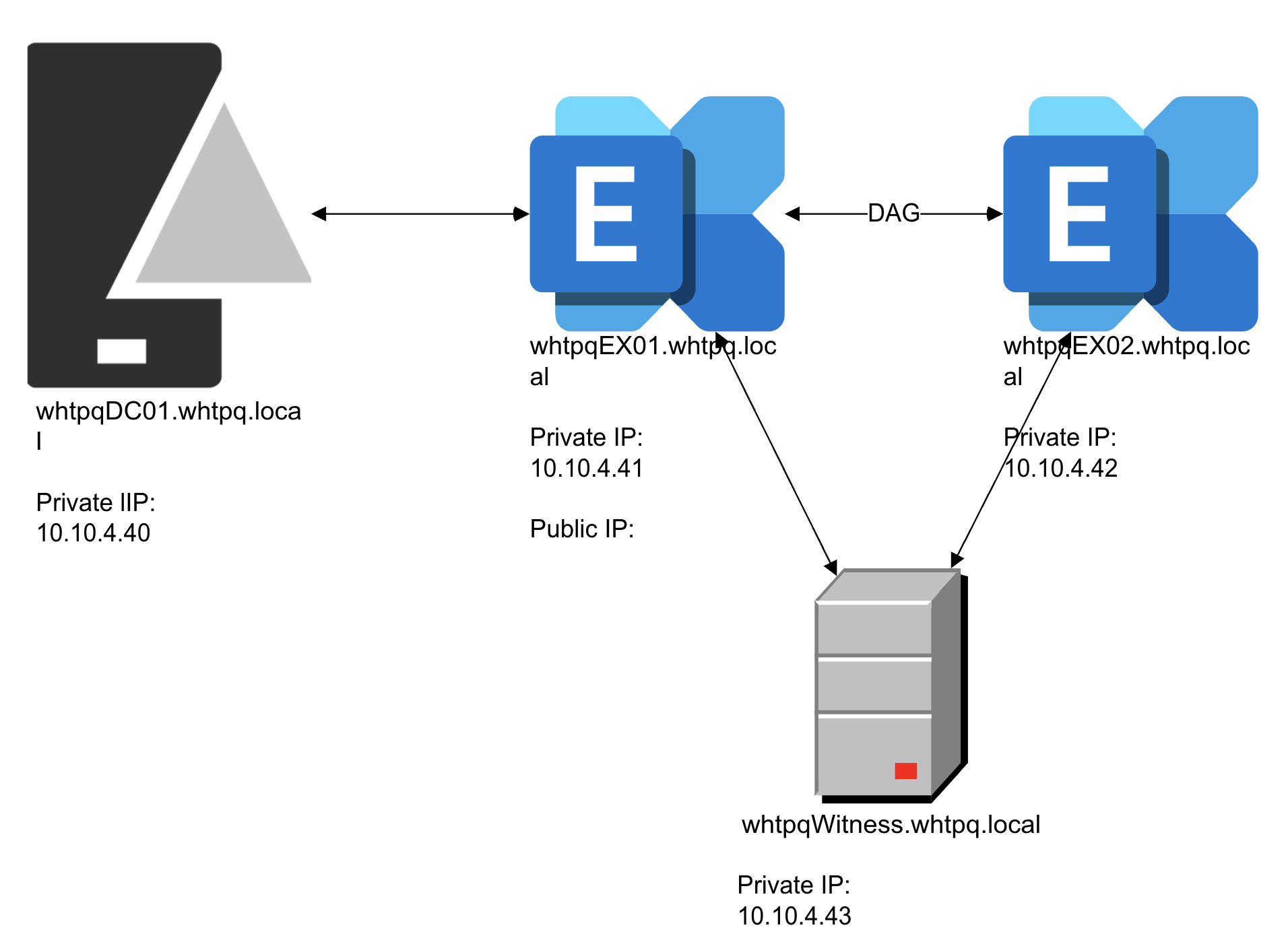 The public IP address is not displayed in the document.
Procedure
1. On the Witness Server side
- On the Witness Server, create new folder in the “C:"
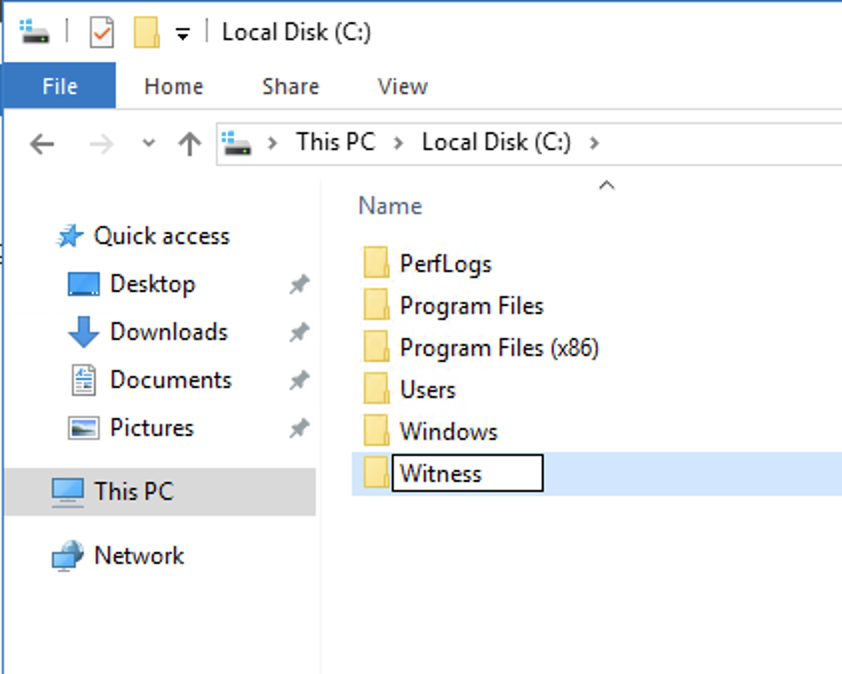
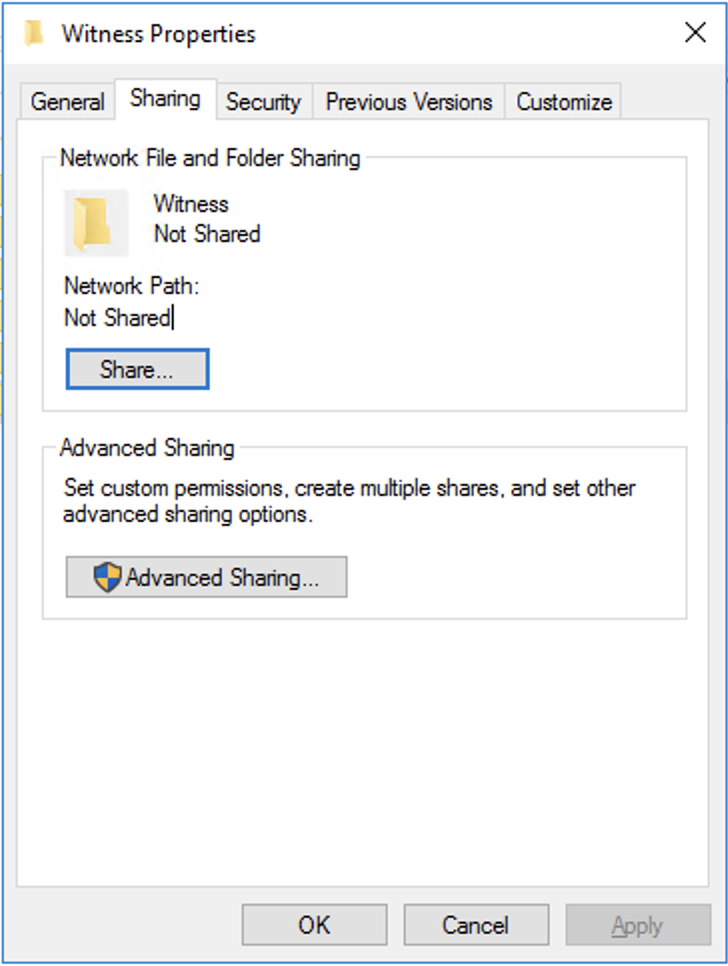
- Share the Witness folder
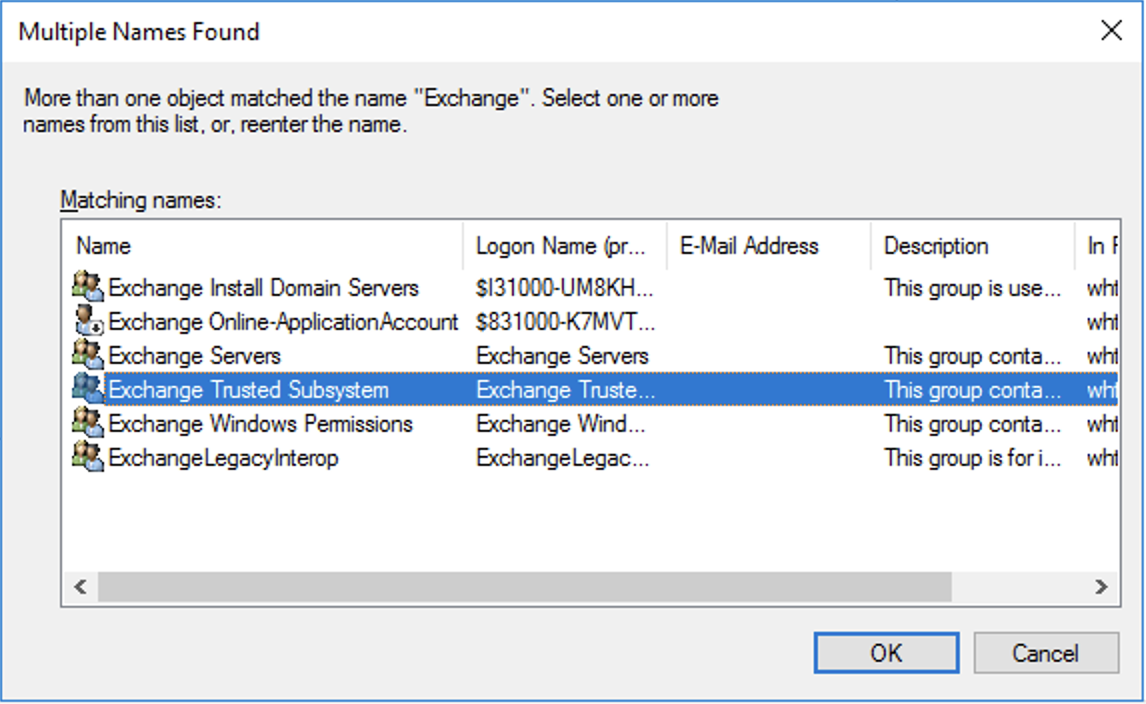
- Click find people
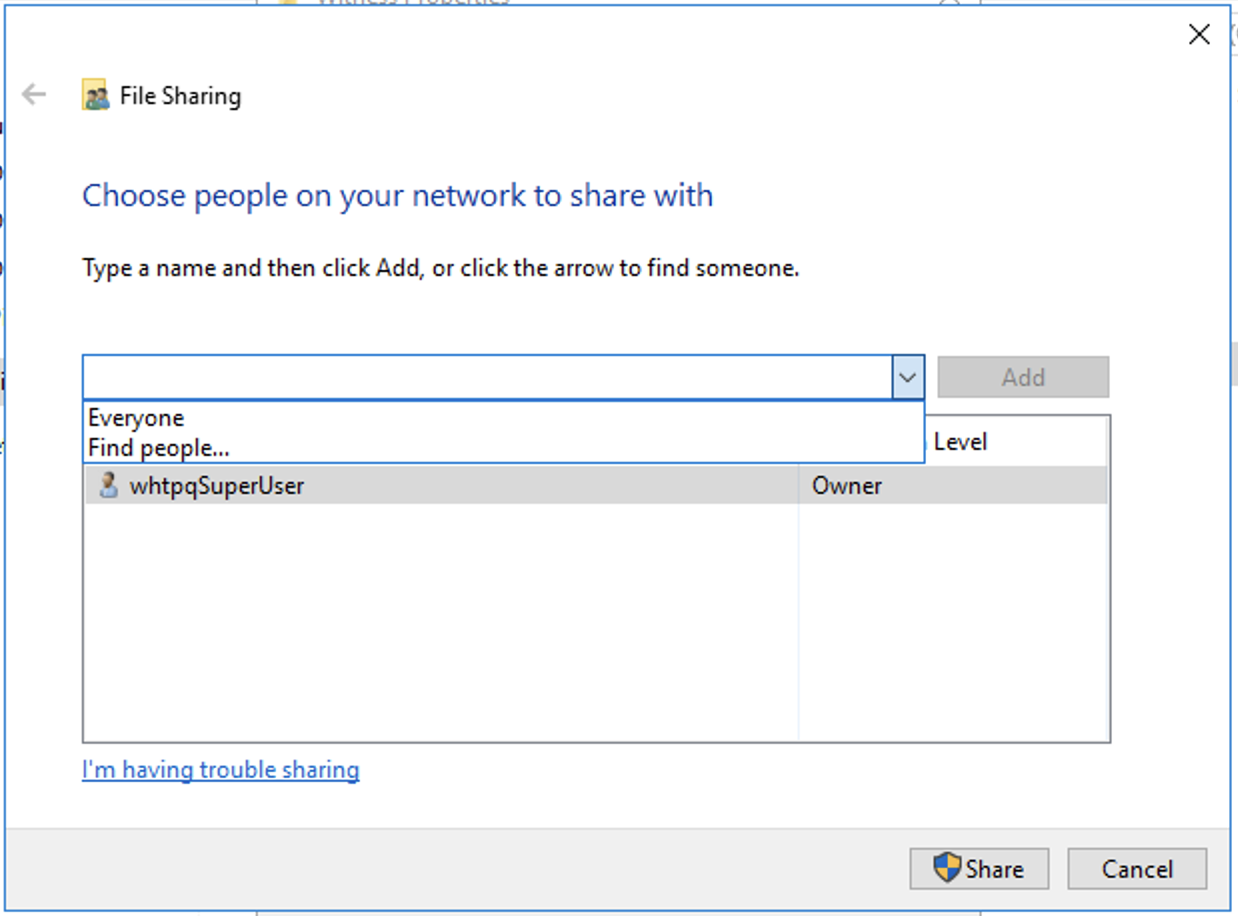
- Add ‘Exchange Trusted Subsystem
- And assign the permission level as Read/Write
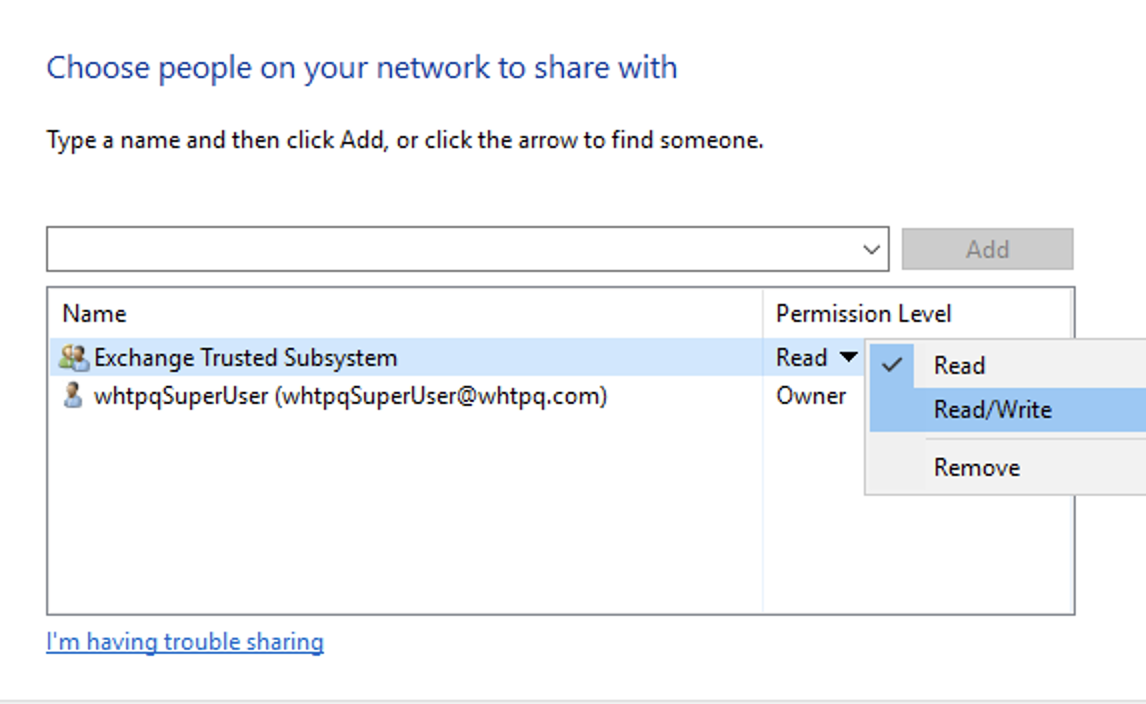
- Done

- Add ‘Exchange Trusted Subsystem’ to the local administrator group.
Use ‘compmgmt.msc’ in the ‘run’
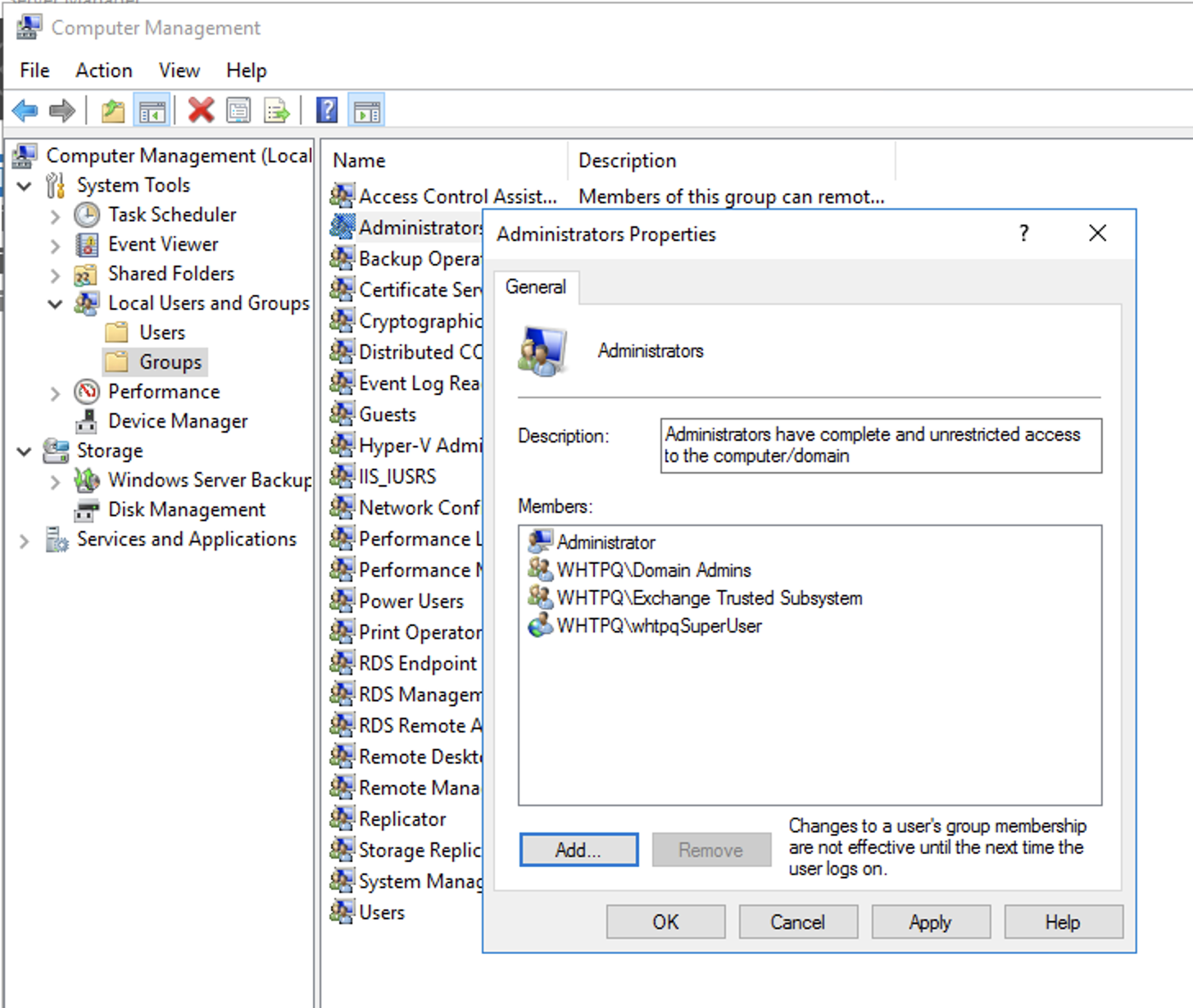
2. On the ECP side
1. Configure database availability groups
- Create DAG
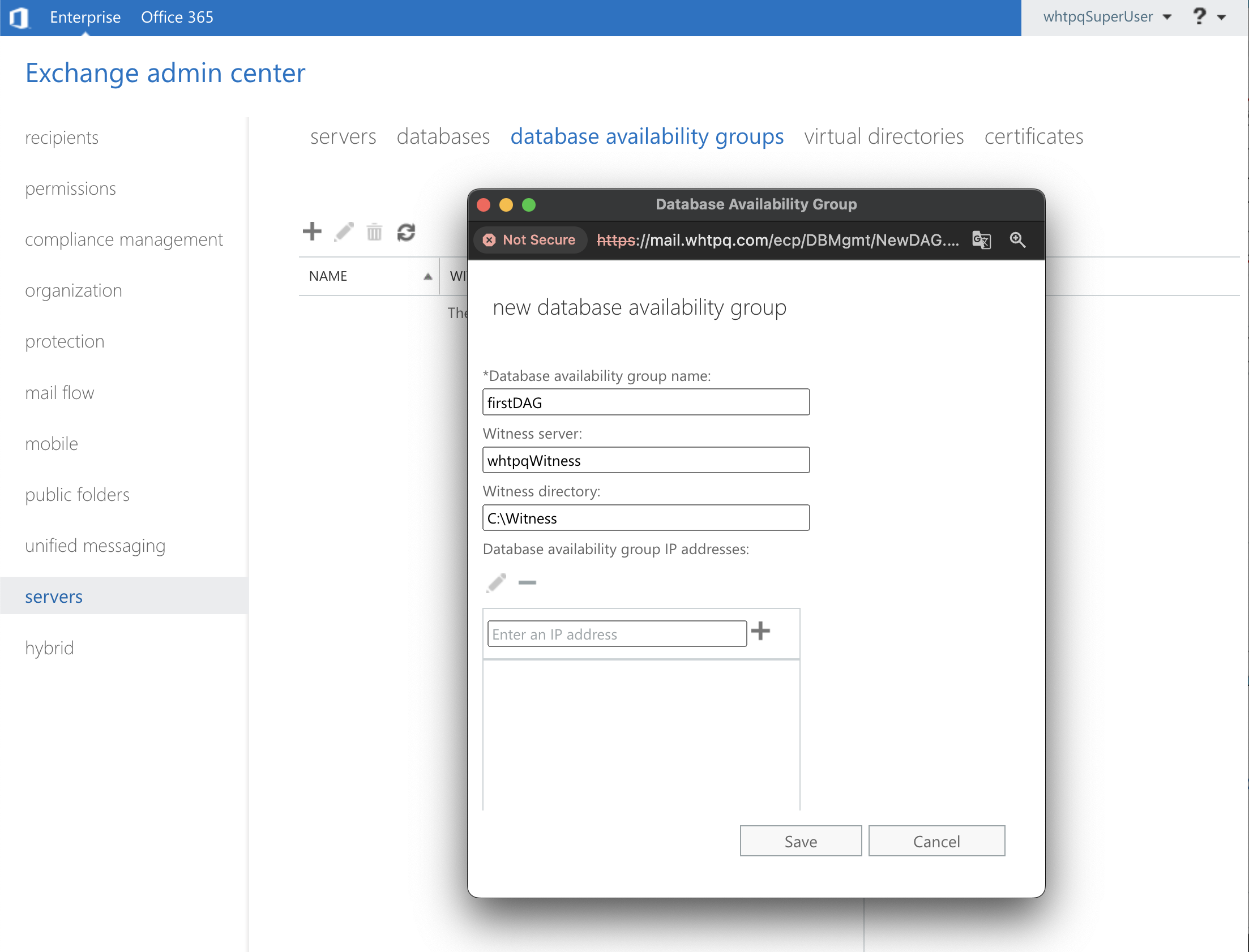
- Add membership
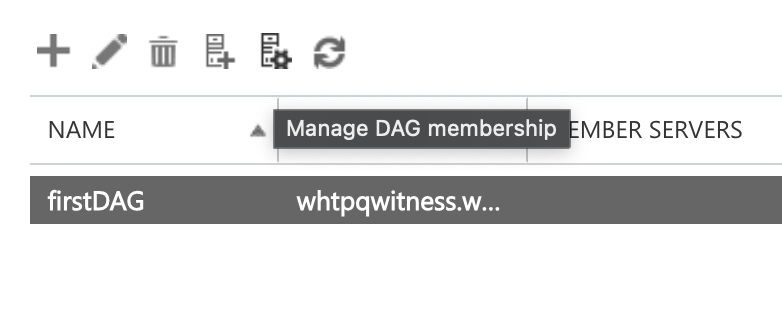
-
Add the exchange servers
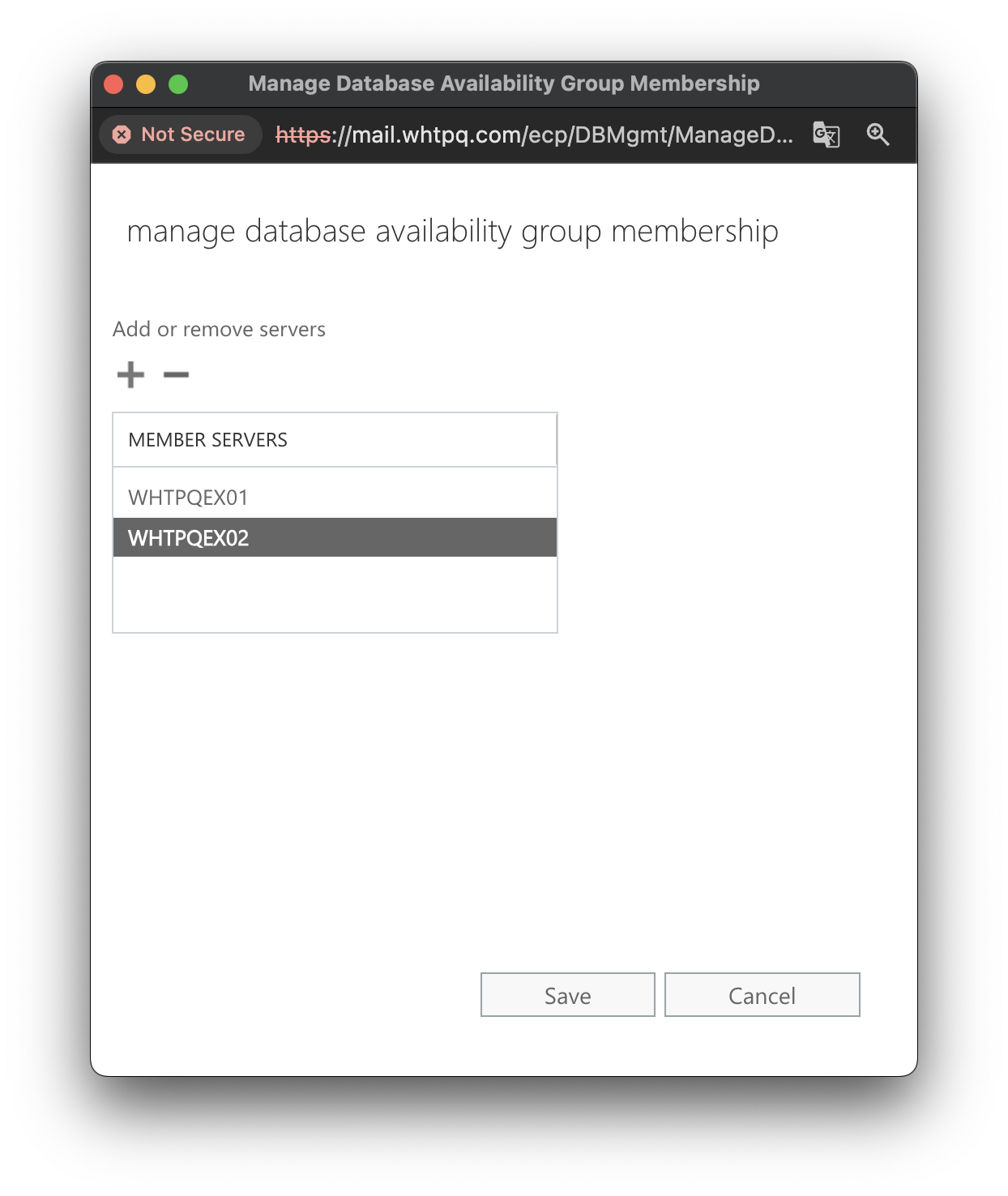
- Click save
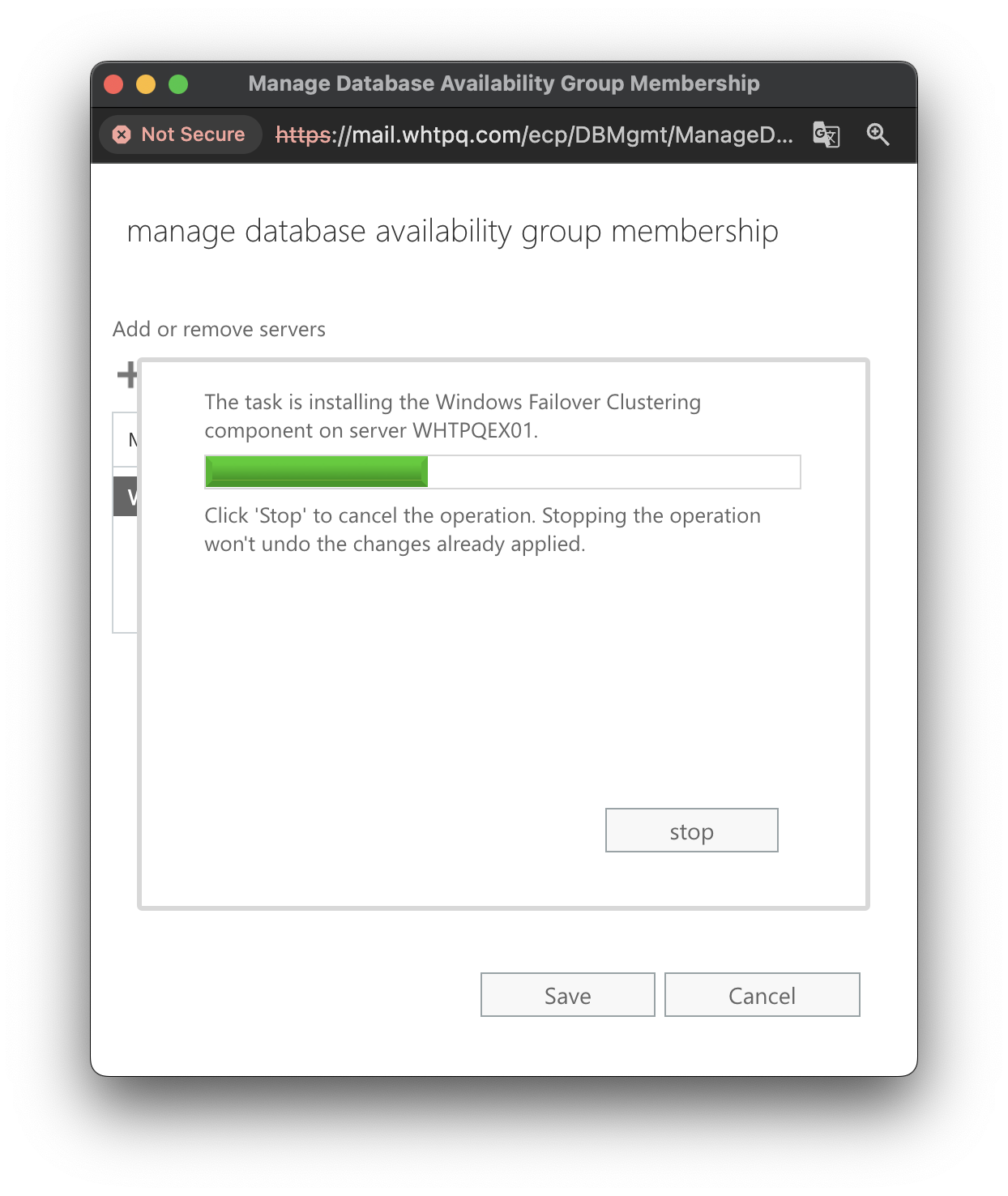
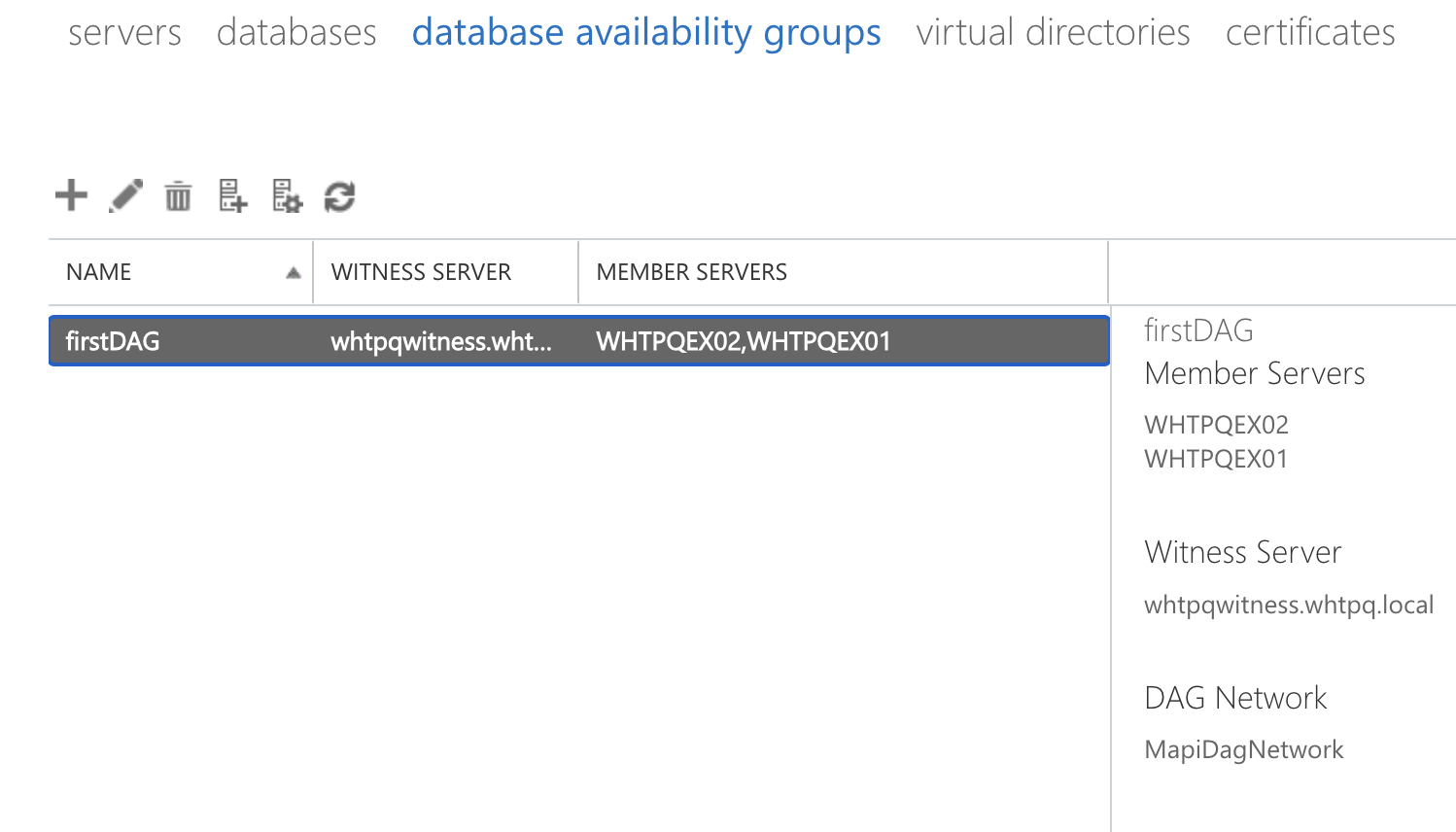
- All member servers are added to the DAG
2. Configure databases servers with copies
- Go databases
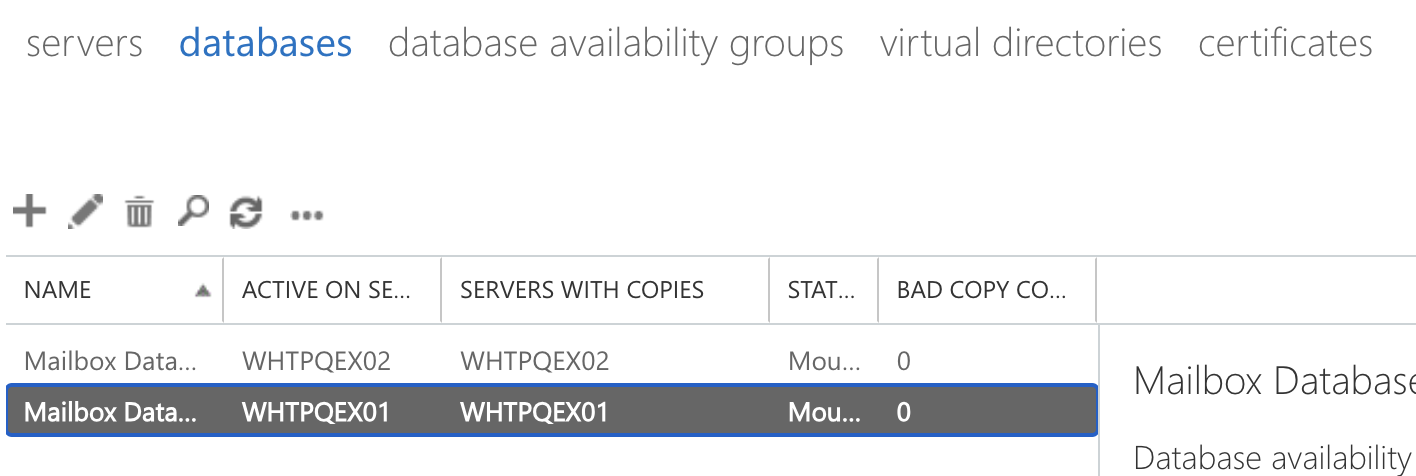
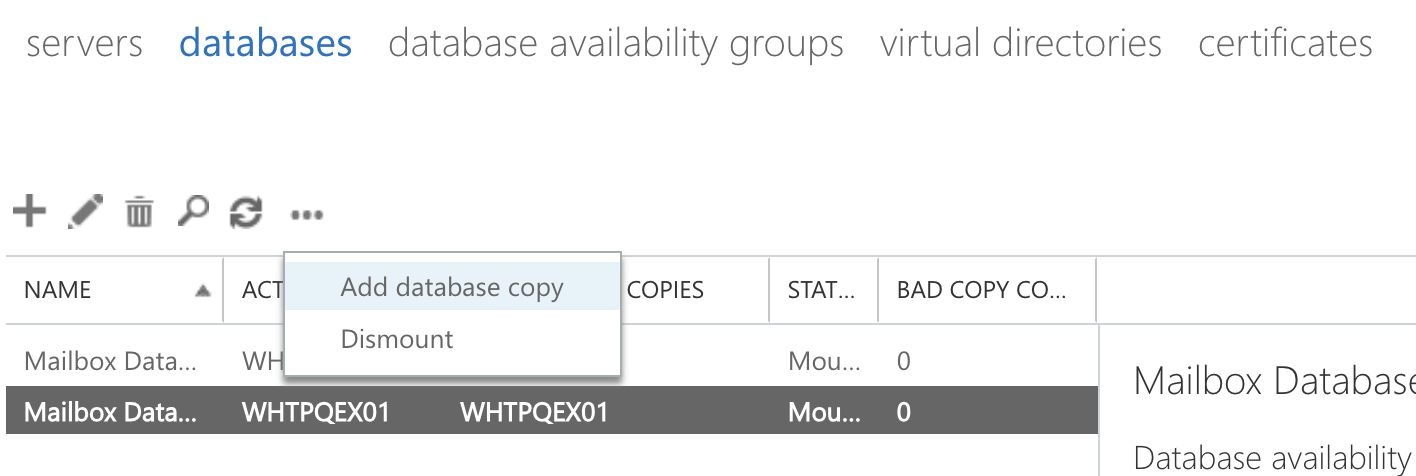
- Click ‘more(three dots)’ and ‘Add database copy’
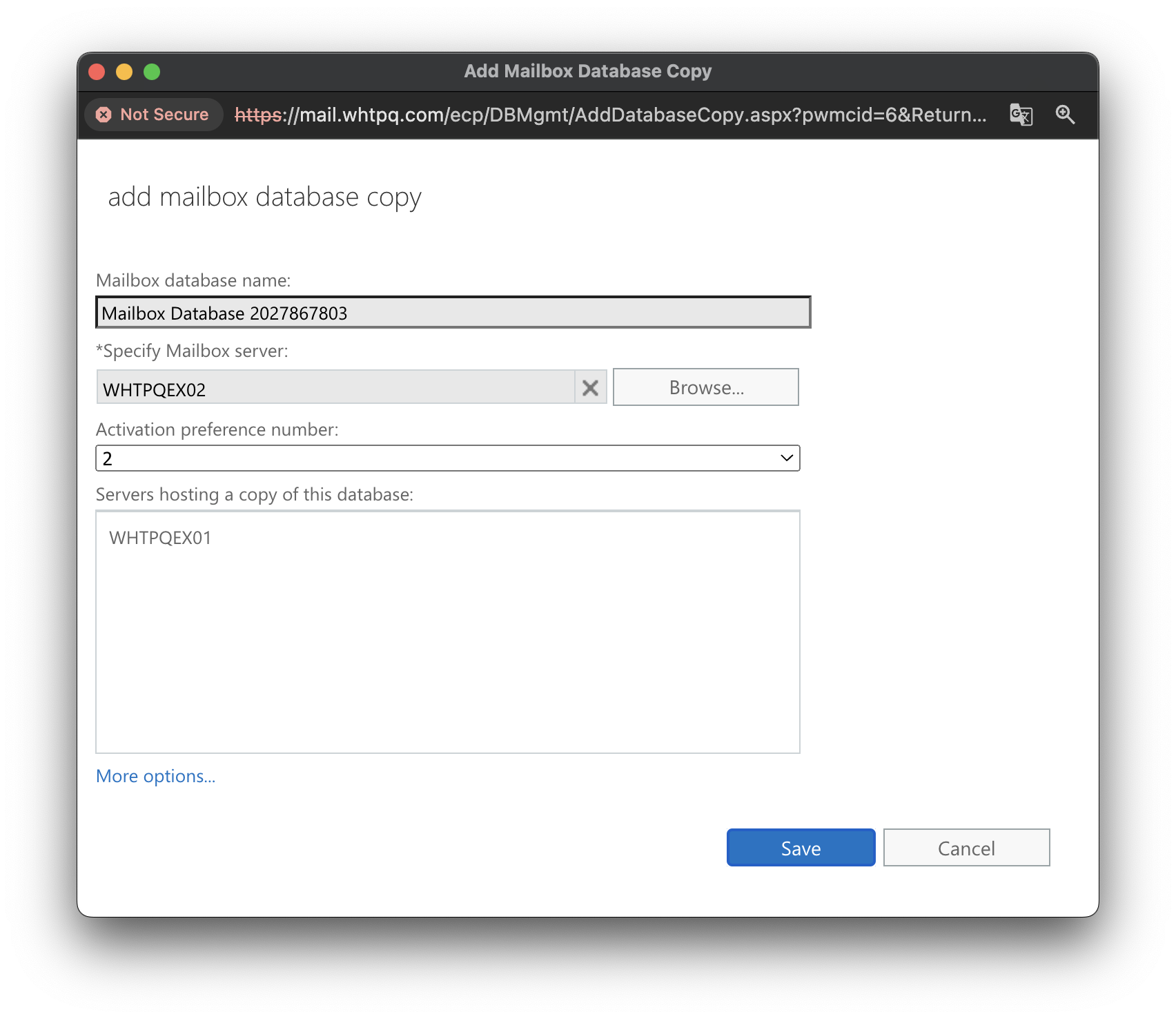
- Browse and select the second Exchange server and save
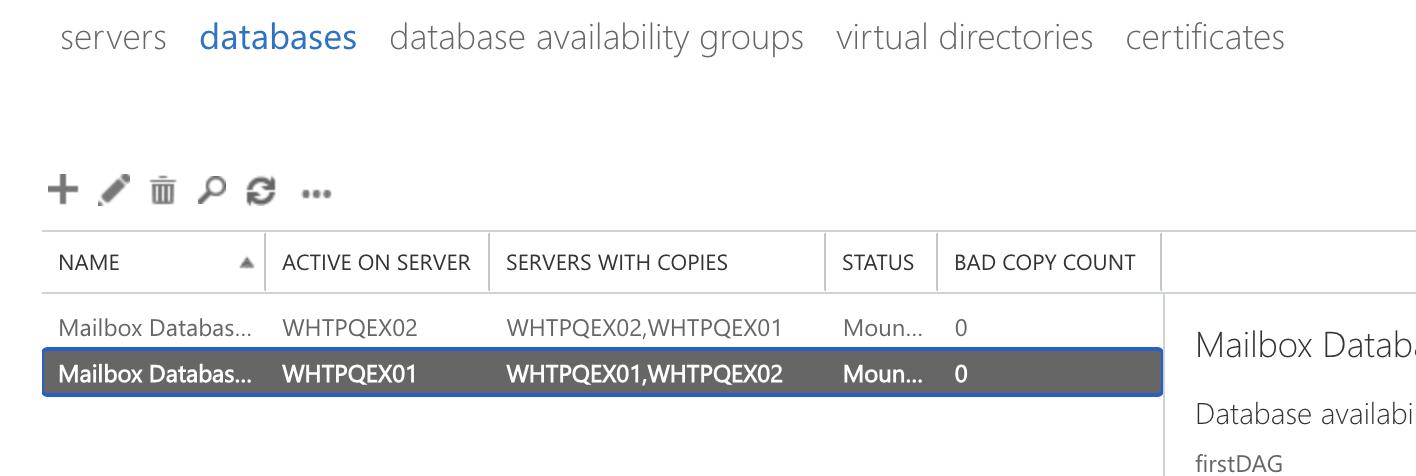
- After do the same work to the each of the Exchange server, the configuration of the DAG is done
Reference
https://learn.microsoft.com/en-us/exchange/high-availability/database-availability-groups/database-availability-groups?view=exchserver-2019
Leave a comment