
Configure microsoft entra hybrid join
Summary
This is a attempt to understand one of the concepts of device deployment on M365. Especially Microsoft Entra hybrid joined devices.
1. Concept
Microsoft Entra hybrid join means Joined to on-premises AD and Microsoft Entra ID requiring organizational account to sign in to the device.
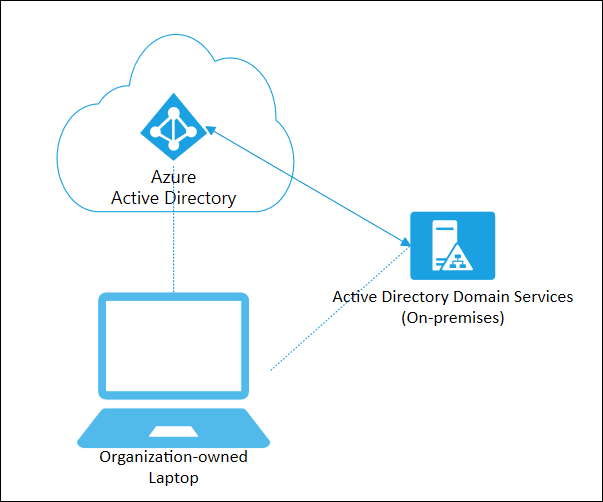
In short, This device will be managed by on-premises AD and Microsoft Entra ID(formerly known as Azure AD).
2. Expected user experience
When configuring Microsoft Entra hybrid join, users can perform Single Sign-On (SSO) for cloud and on-premises resources using their Microsoft Entra ID.
This enhances user productivity while simultaneously securing access to resources using conditional access.
Additionally, Microsoft Entra hybrid join is one method of enrolling devices joined to the existing Active Directory Domain Services (AD DS) into cloud services.
By employing this method, users can perform SSO for both cloud and on-premises resources using their existing Active Directory accounts.
3. Requirements to deploy
- The device must be joined to the on-premises AD.
- The device must be in the OU that has been synchronising to the Entra ID.
- The device have to access following URL:
- https://enterpriseregistration.windows.net
- https://login.microsoftonline.com
- https://device.login.microsoftonline.com
- https://autologon.microsoftazuread-sso.com (If you use or plan to use seamless SSO)
- Your organization’s Security Token Service (STS) (For federated domains)
4. Reference
https://learn.microsoft.com/en-us/entra/identity/devices/concept-hybrid-join https://learn.microsoft.com/en-us/entra/identity/devices/how-to-hybrid-join
Leave a comment