
Create aadc sync rules
Summary
In the case of integration for global branches, preferred data location and usage location should be configured to optimise their services.
However, regarding the functional level of the DC, there is no value in the user properites. To go through this, we can use msCloudExtensionAttribue.
1. Ref
https://learn.microsoft.com/en-us/entra/identity/hybrid/connect/how-to-connect-sync-feature-preferreddatalocation
2. Preparation
- Enroll DC to the AADC application and Add Directory extensions
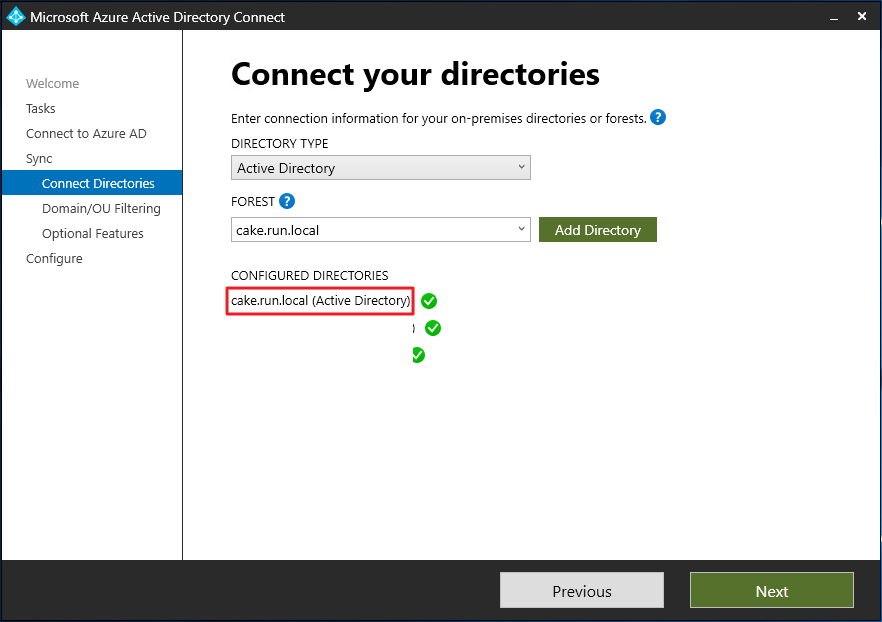
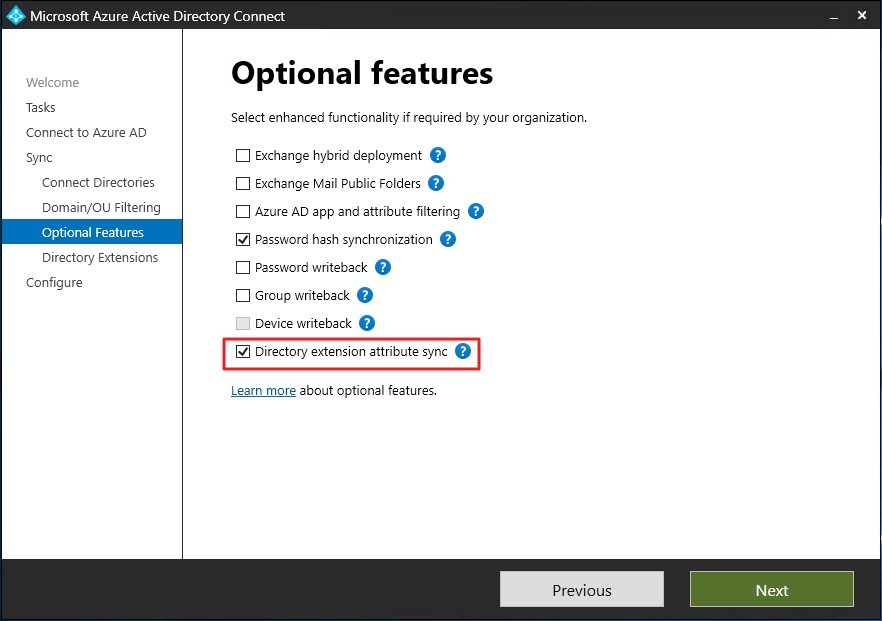
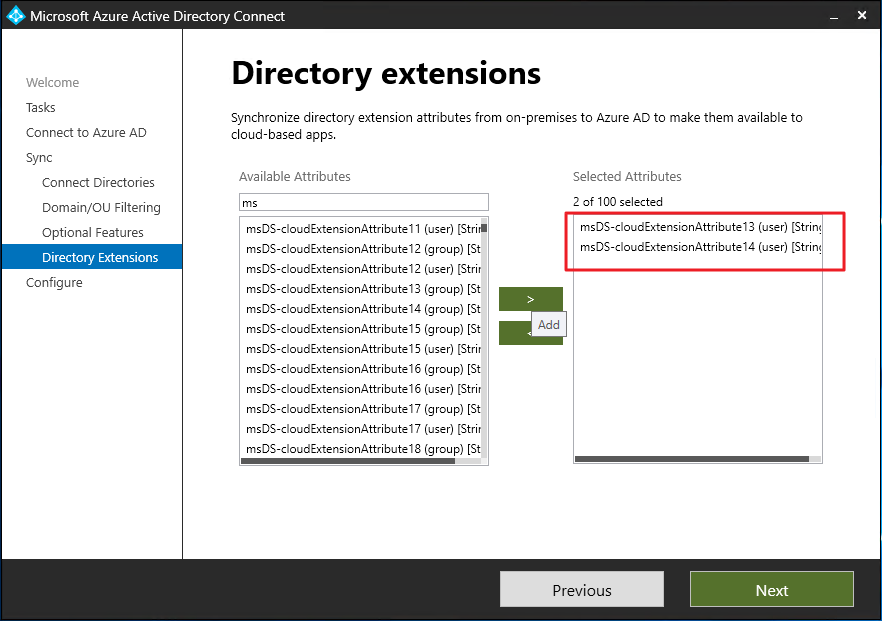
3. Create Rule
You should stop the sync cyle before proceed the task below
Set-ADSyncScheduler -SyncCycleEnabled $false
Inbound
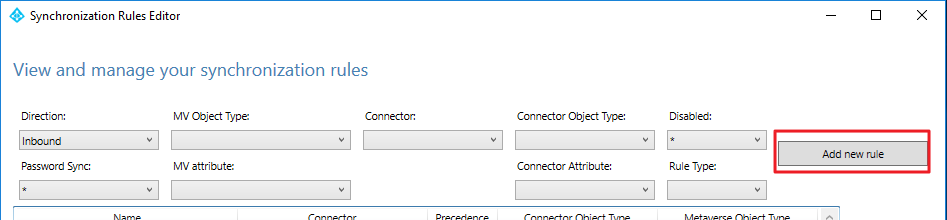
- Run Synchronisation Rules Editor
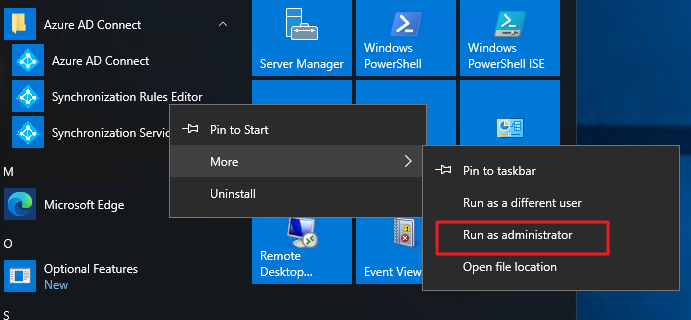
- Add New rule
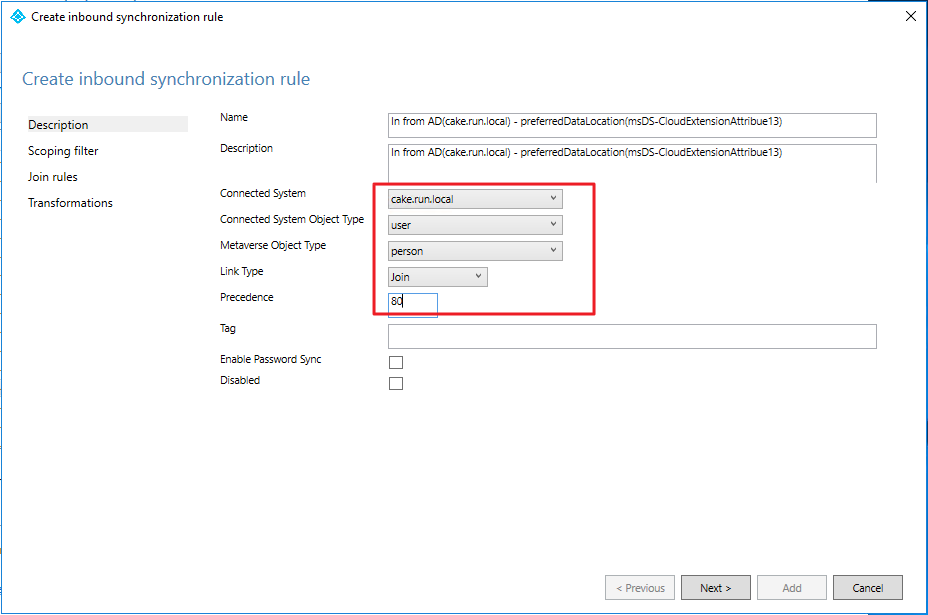
- Set value
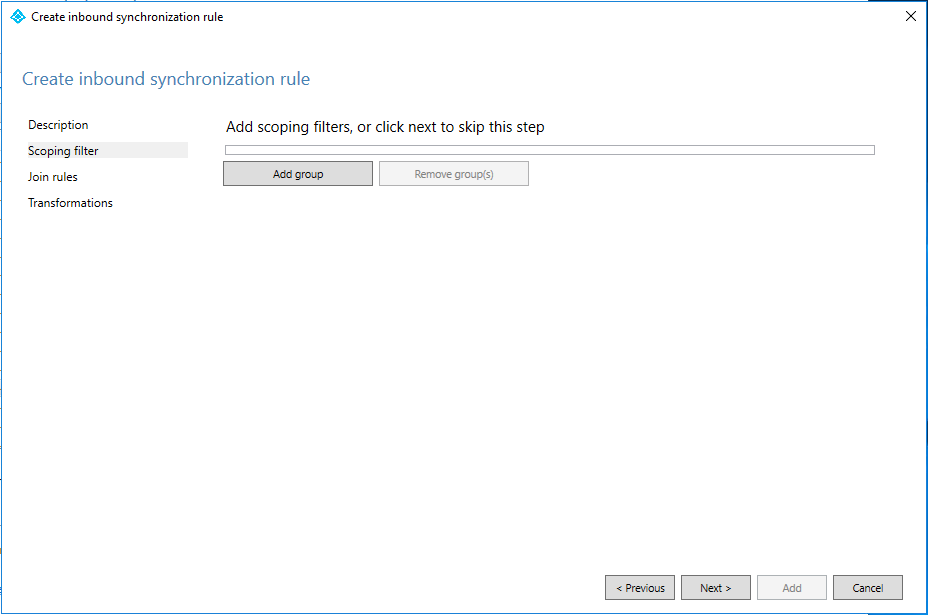
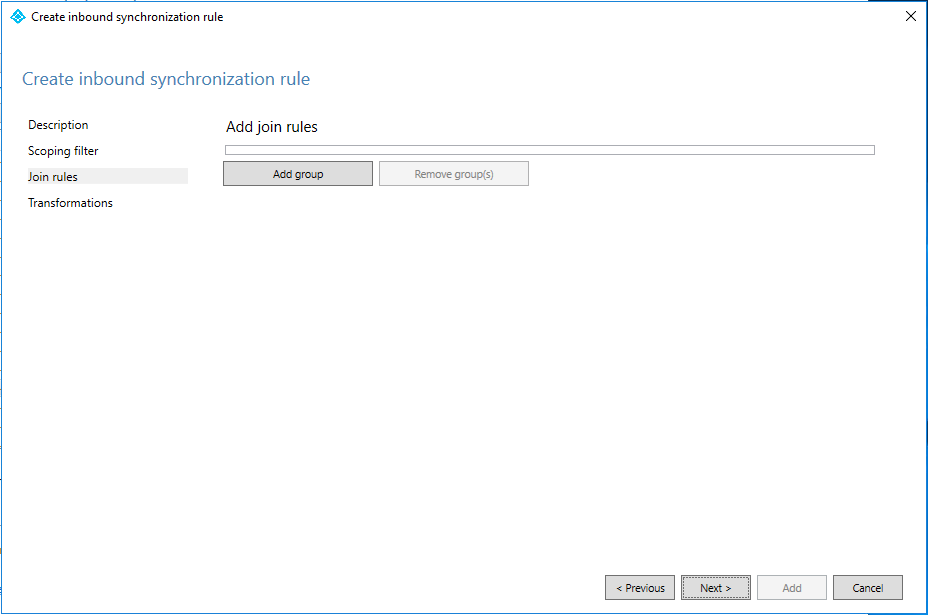
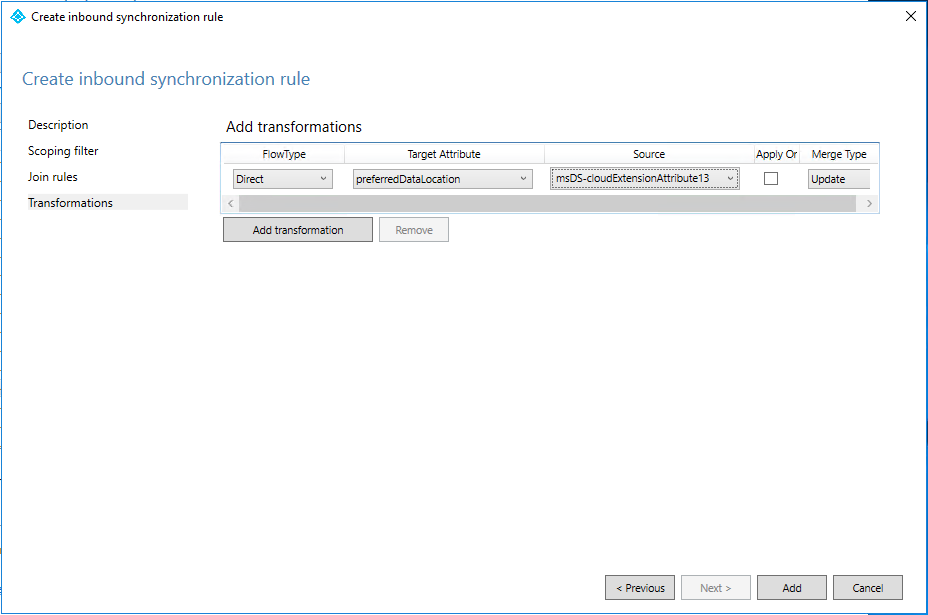
So you just do the same job on the usage location.
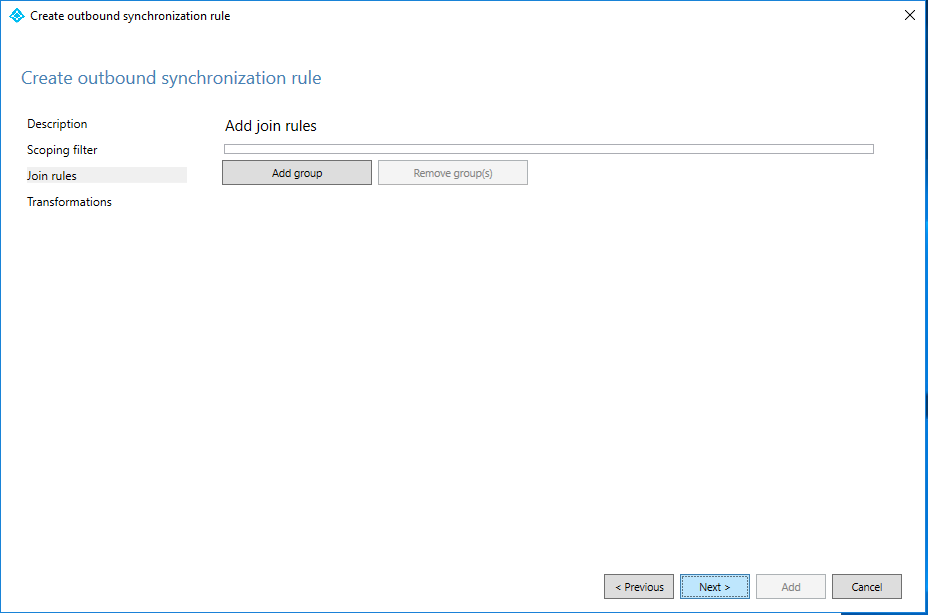
Outbound
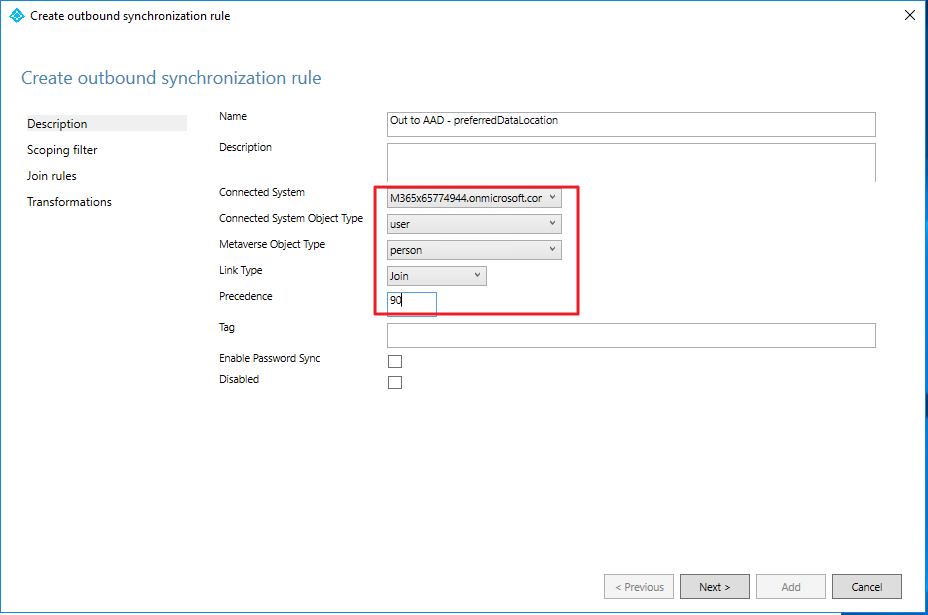
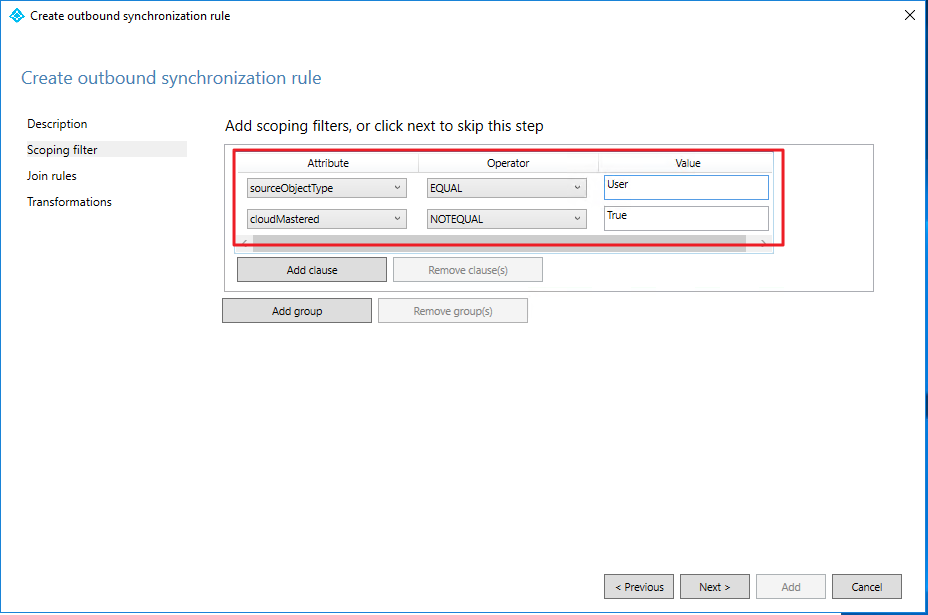
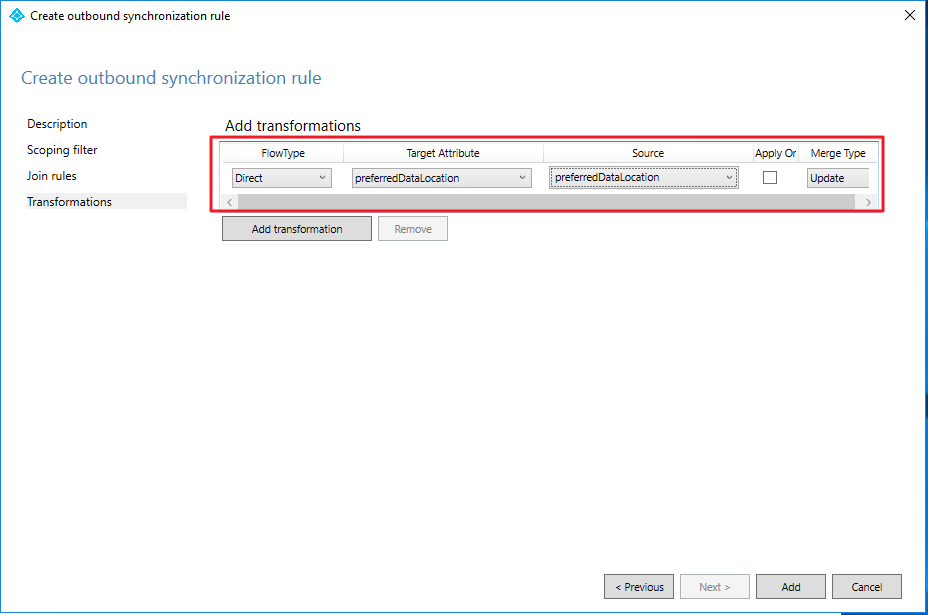
[Note] You don’t need to create out bound rule for each Domain. But you have to create it as many as the attribues.
- Change direction to Outbound
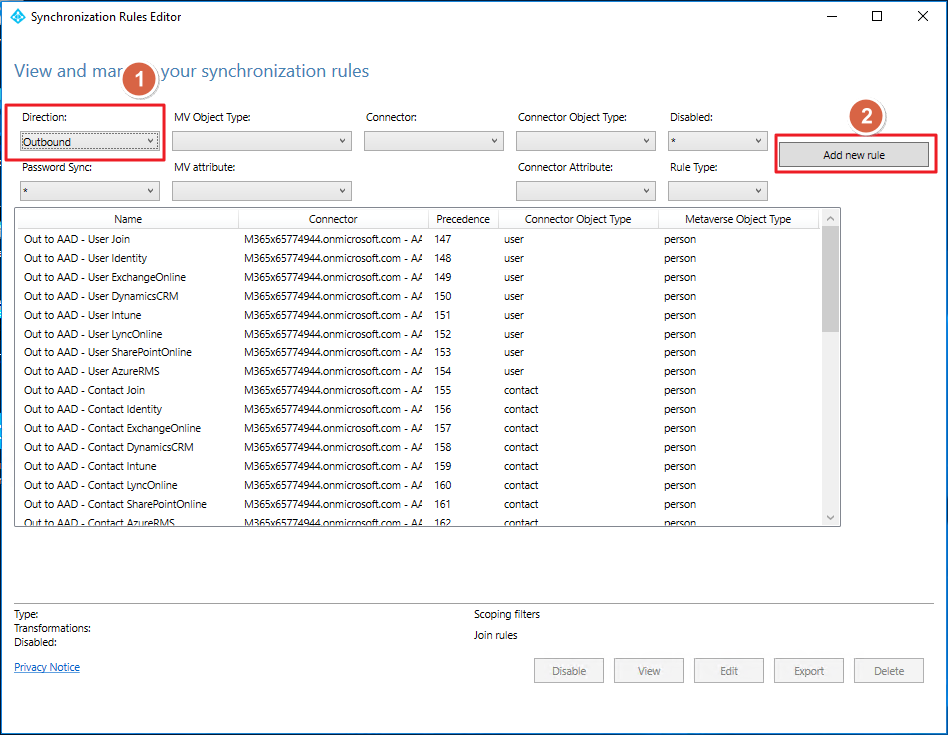
- Set value as:
4. Sync Enabled
Set-ADSyncScheduler -SyncCycleEnabled $True
Start-ADSyncCyle -PolicyType Initial
Leave a comment