
Event id 1074 on winsvr 2022 standard evaluation
Related post:
- https://velog.io/@leeyosebi/IIS-ARR-Configuration-with-ExSvr
0. Overview
Well, Since I set up the ARR on IIS and ExSvr, the VM has been shuting down almost every hours. So the mail service can’t be last. and this is really annoying when I need to test. This post contains what I was trying to know what’s going on this.
[Index]
- What I encounter
- Event logs from Hyper-V host
- Event logs from Service host
- OS Design
- Workaround
1. What I encounter
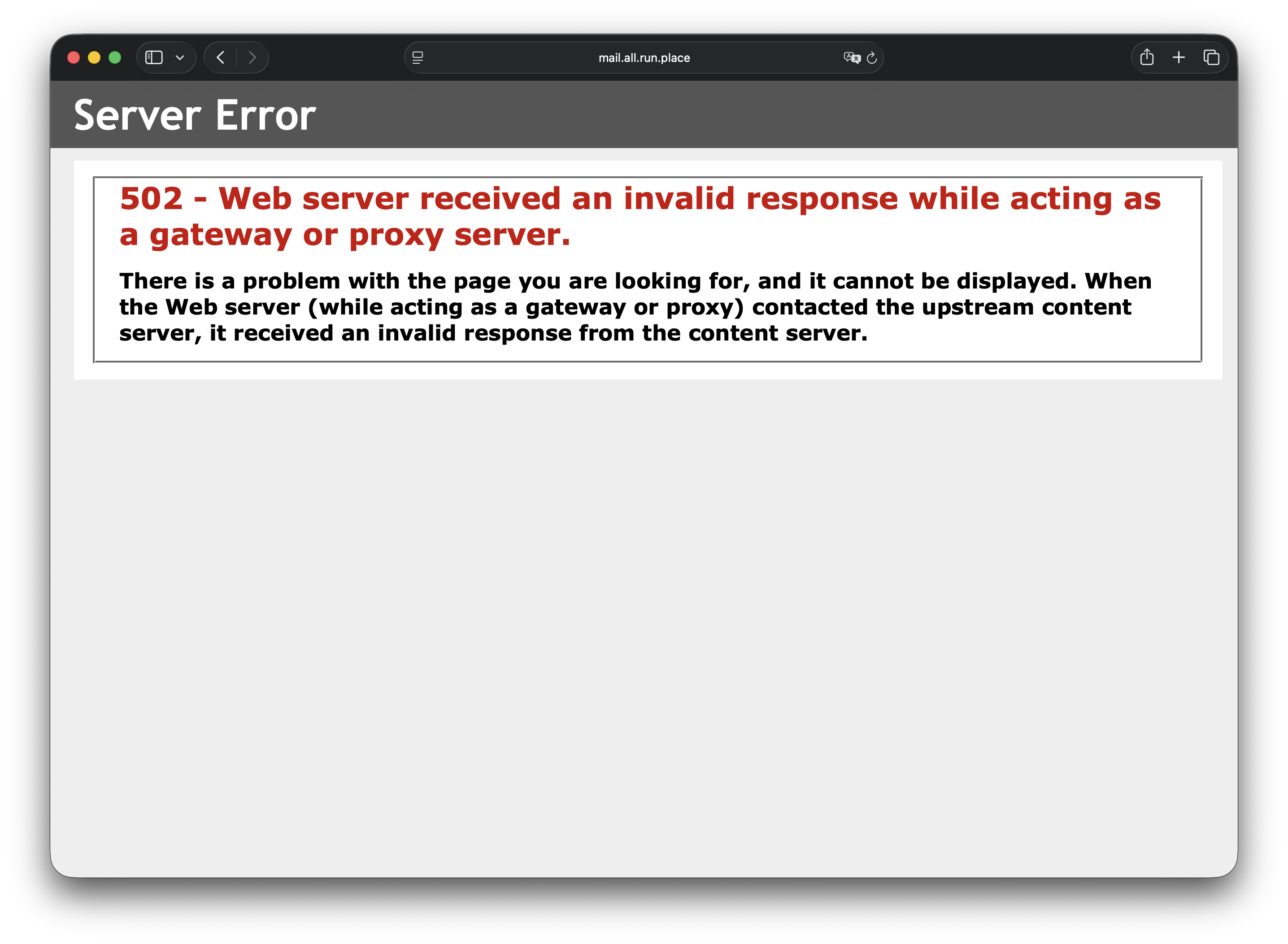
Mail service is unavailable:
2. Event logs from Hyper-V host
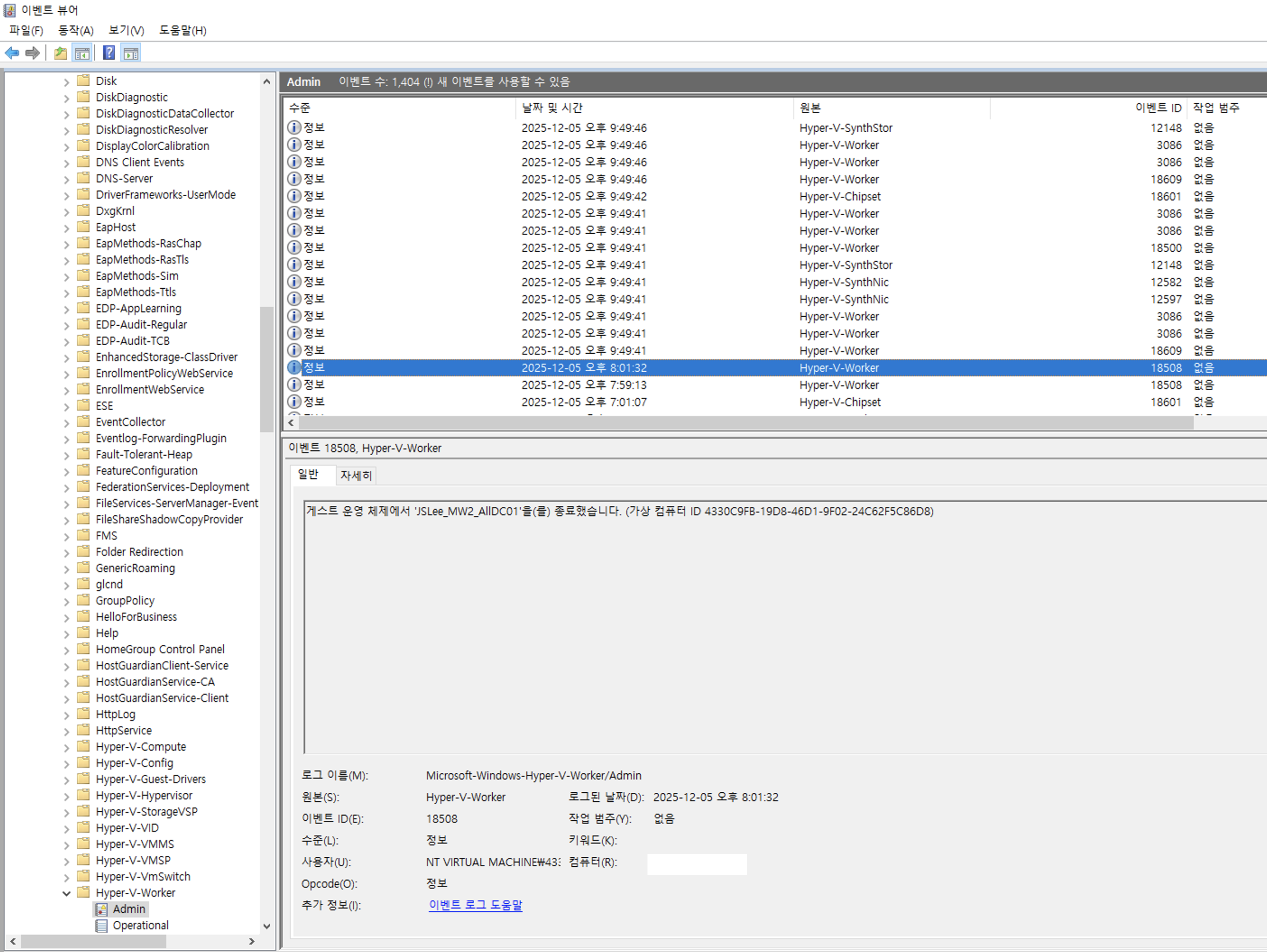
From the hyper-v host’s “Event Viewer → Applications and Services Logs → Microsoft → Windows → Hyper-V-Worker → Admin”, the server has been terminated. But no reason can be found.
3. Event logs from Service host
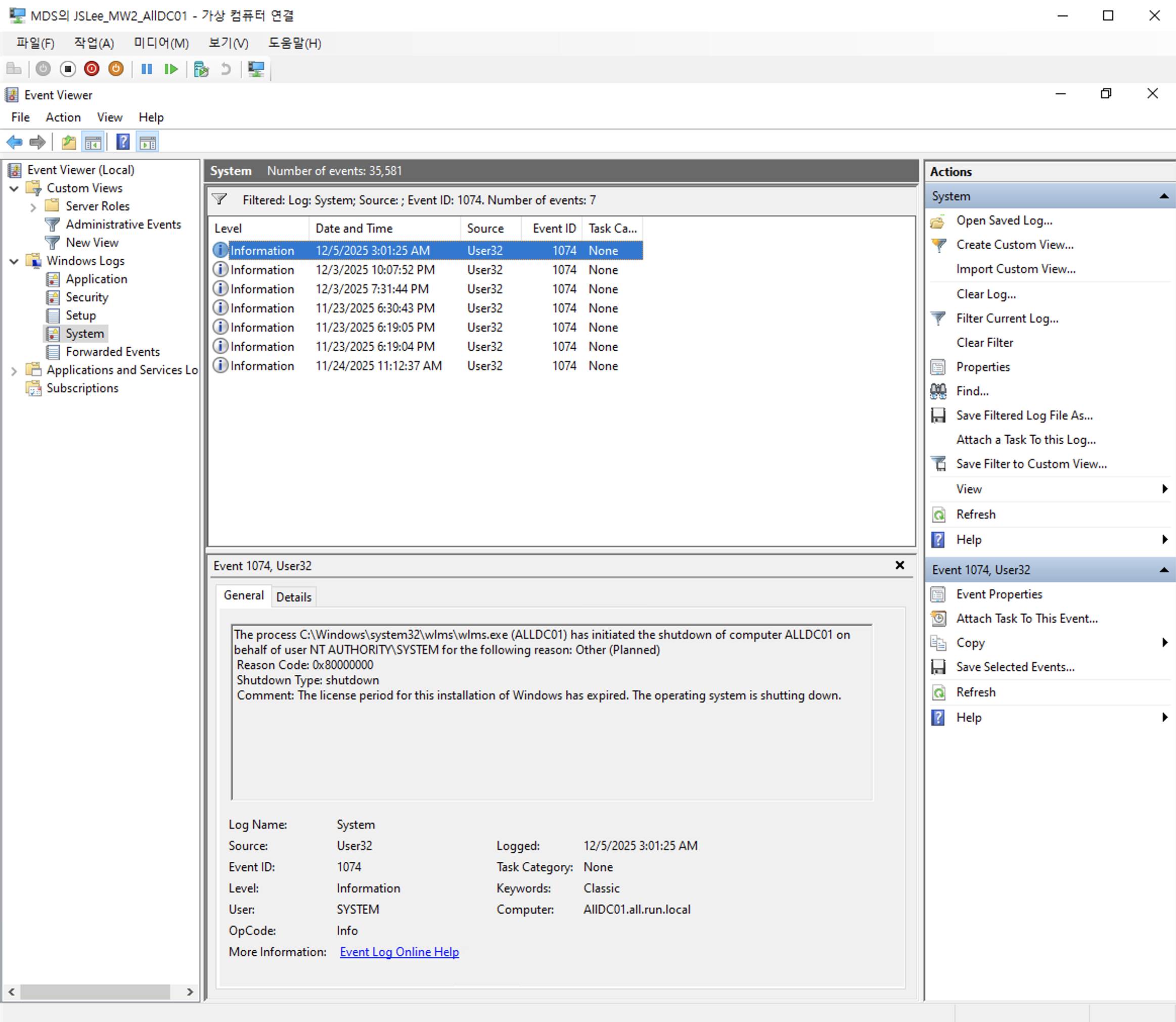
Let’s moving forward to the VM’s event logs. I check the event viewer of the VM’s “Windows Logs > System” and filter the events 1074 which can shows me the shuting down logs.
Error message:
The process C:\Windows\system32\wlms\wlms.exe (ALLDC01) has initiated the shutdown of computer ALLDC01 on behalf of user NT AUTHORITY\SYSTEM for the following reason: Other (Planned)
 Reason Code: 0x80000000
 Shutdown Type: shutdown
 Comment: The license period for this installation of Windows has expired. The operating system is shutting down.
Obviously, the message says the system has been shutdown this computer in the system context(NT AUTHORITY\SYSTEM) because of its OS license. I’ve never seen this before..
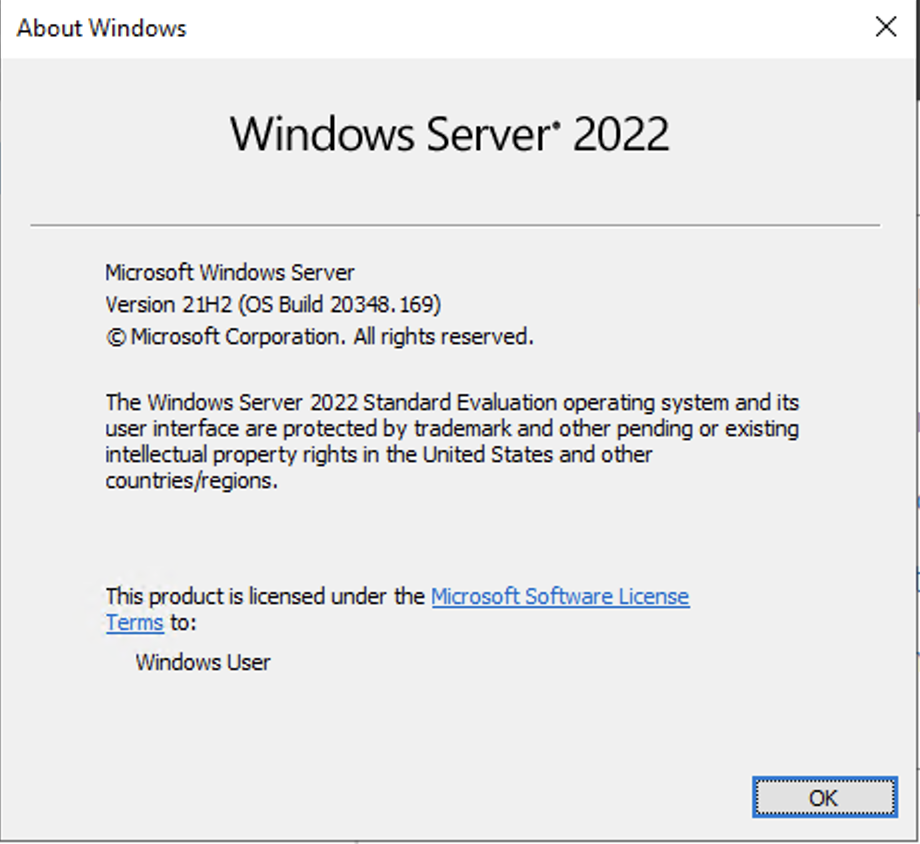
Well, I have set this up with this ISO. It’s Standard Evaluation.
4. OS Design
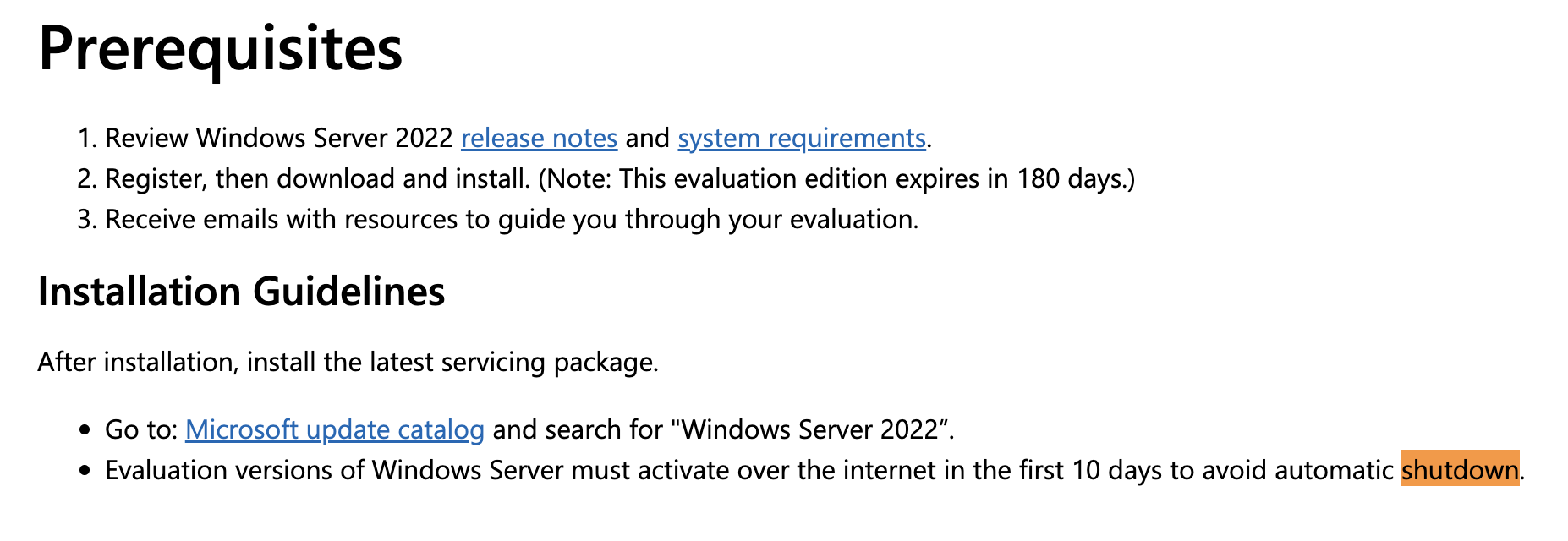
In result, I found this is the originally architecture of the OS. Referrence:
- https://www.microsoft.com/en-us/evalcenter/evaluate-windows-server-2022
- https://woshub.com/stop-windows-auto-shutdown-every-hour/
5. Workaround
Here is the command that you can use for the Lab environment.
Step 1: Execute this command from the administrative cmd
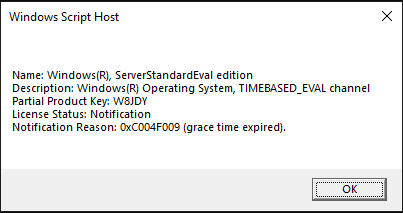
slmgr.vbs /dli
You can specify the license status of the OS. It says “grace time expired”.
Step 2: Execute this command to extend the license status.
slmgr.vbs /rearm
Step 3: Restart the machine.
Step 4: Check the license status using the first command.
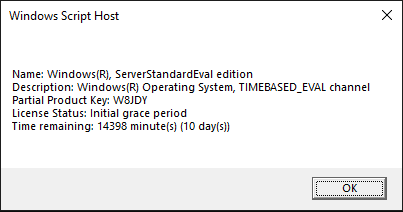
slmgr.vbs /dli
Now, we have 10 days remaining.
Leave a comment