
Internal relay and send connector in exsvr
0. Overview
In many business cases, the company has two mail organisation with the same domain. In this case, how can we route the messages?
There are so many architect for solutions. But I want to focus on the simple feature of the ExSvr.
Here is a As-is and To-be:
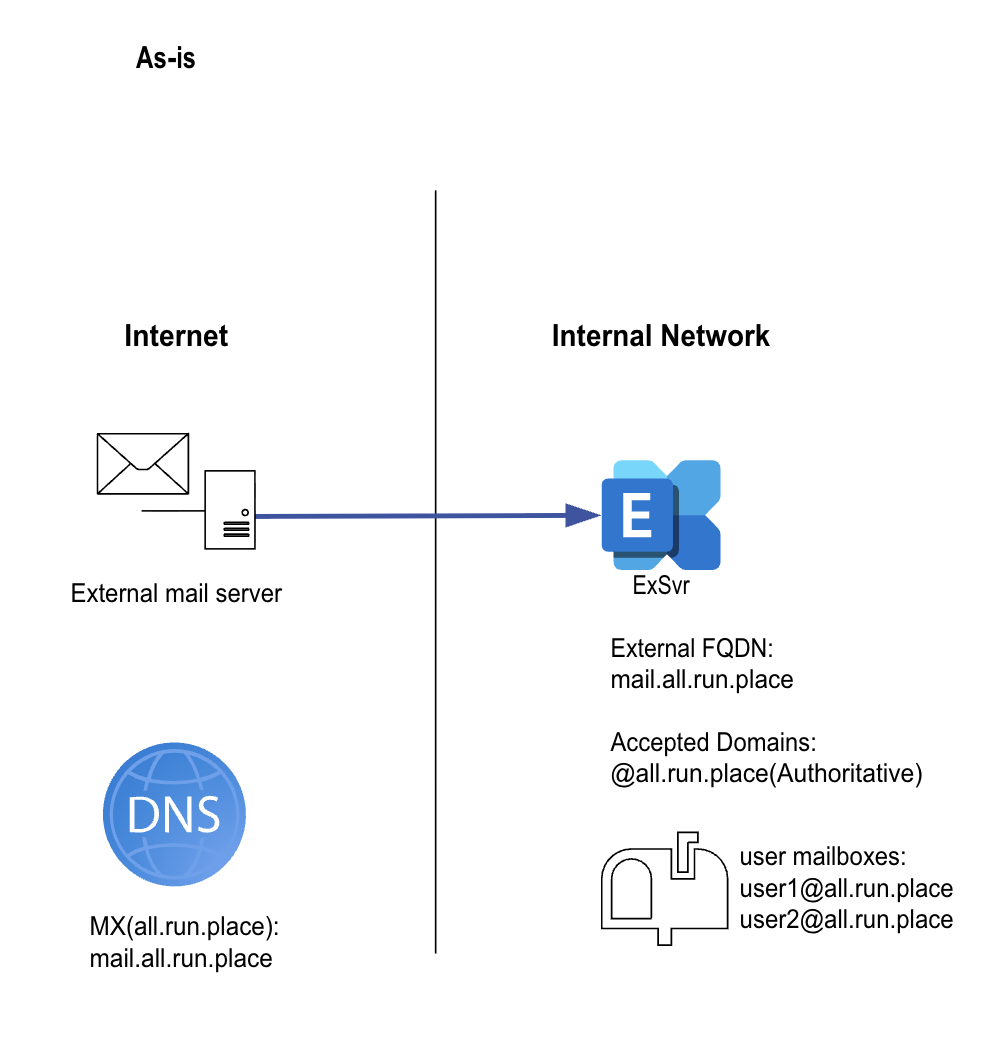
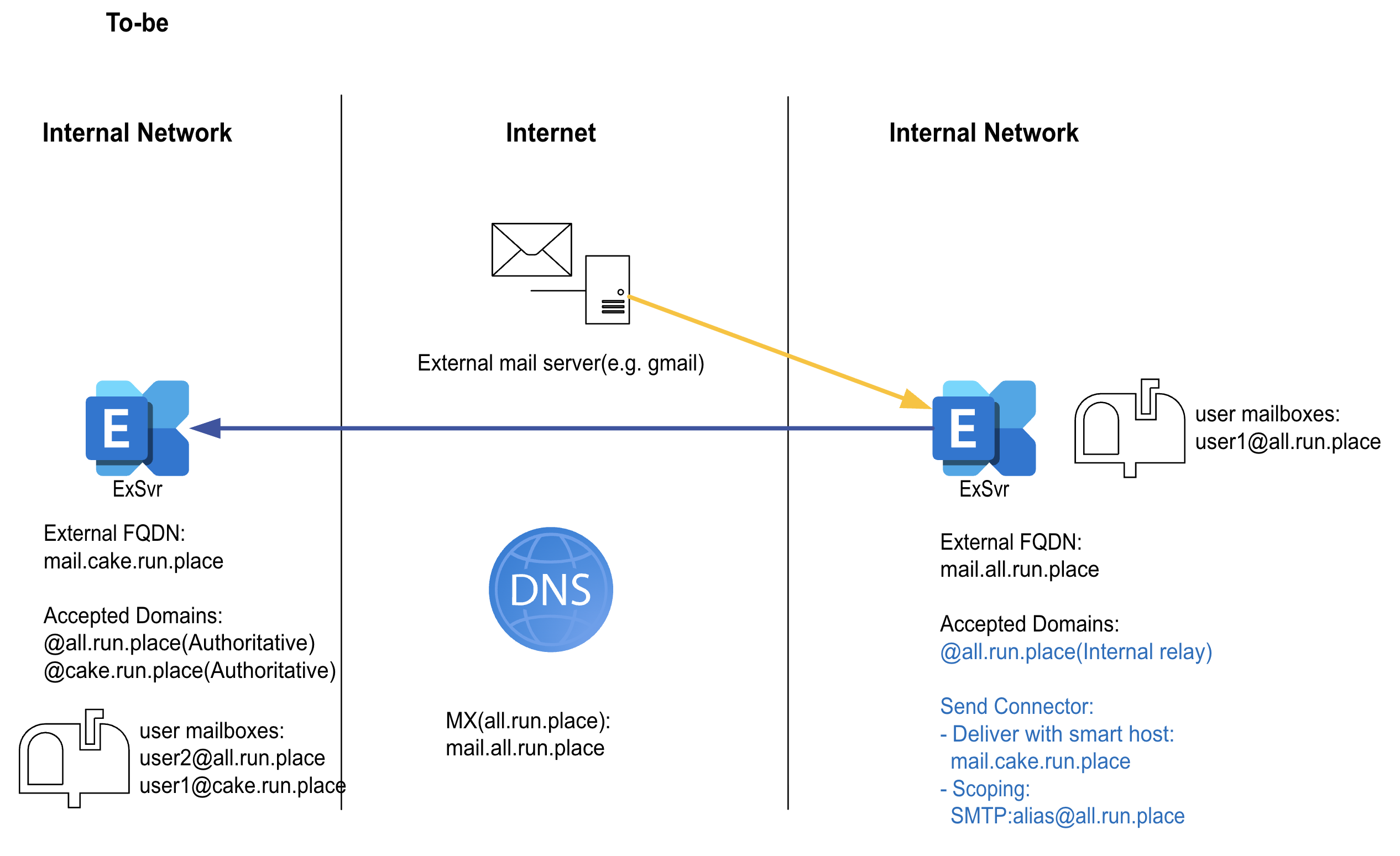
So, the point here is you have to change the domain type from authoritative to Internal relay. Let’s find out what’s should be done.
[Index]
- Domain types in Accepted domain
- Send connector
- Result
1. Domain types in Accepted domain
ref)
- https://learn.microsoft.com/en-us/exchange/mail-flow/accepted-domains/accepted-domains#recipient-lookup-in-accepted-domains
- https://learn.microsoft.com/en-us/exchange/mail-flow/accepted-domains/accepted-domain-procedures
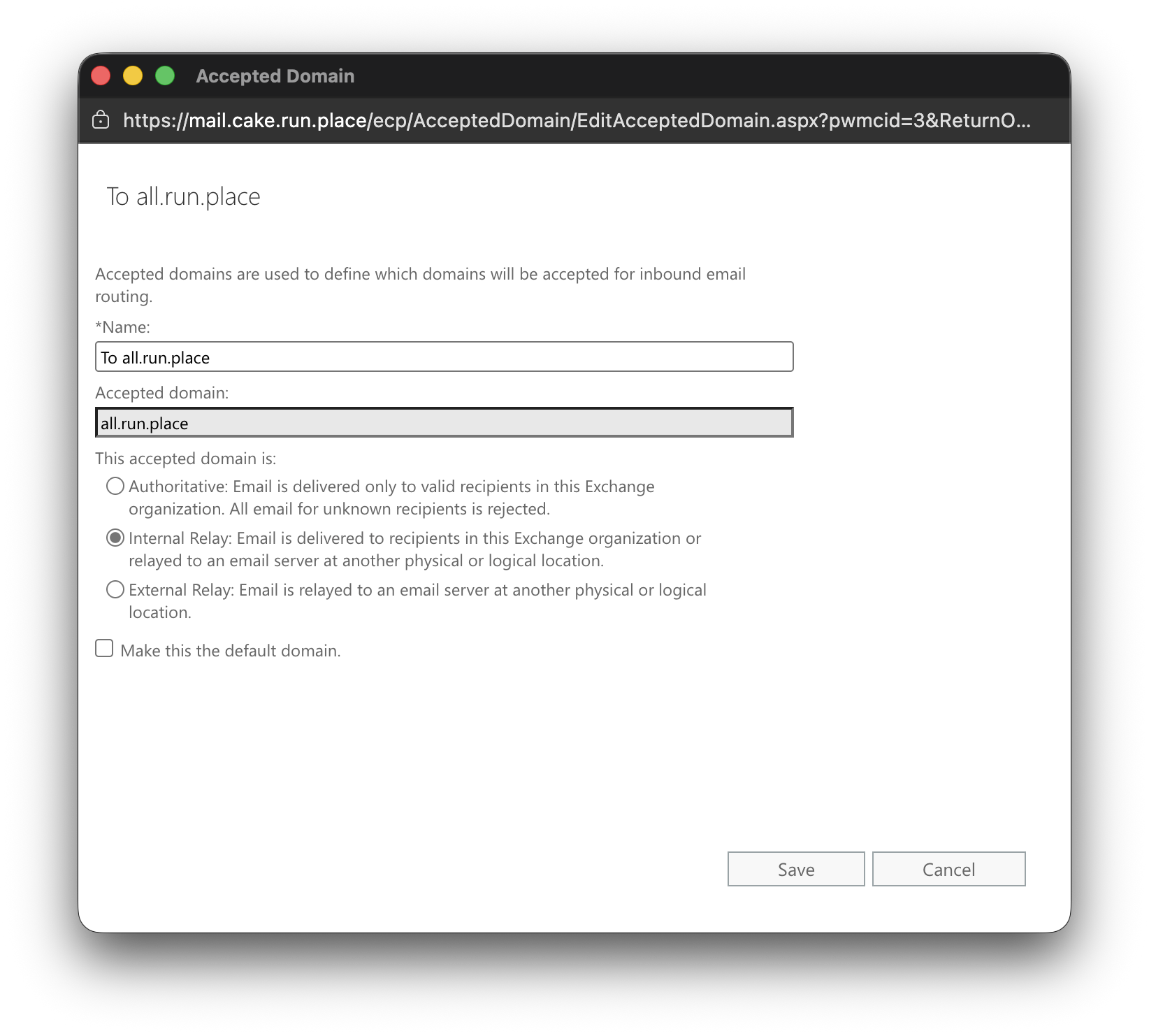
We can create the domain name space which define how the exchange server transport message delivery.
The default type is Authoritative which means the recipient using this domain only exist in this mail organisation.
But the case we address now is quite different. We have to go with Internal relay at this time.
If we set the domain as internal relay, this means, “Some recipients in the internal relay domain might exist in the Exchange organization.”
2. Send connector
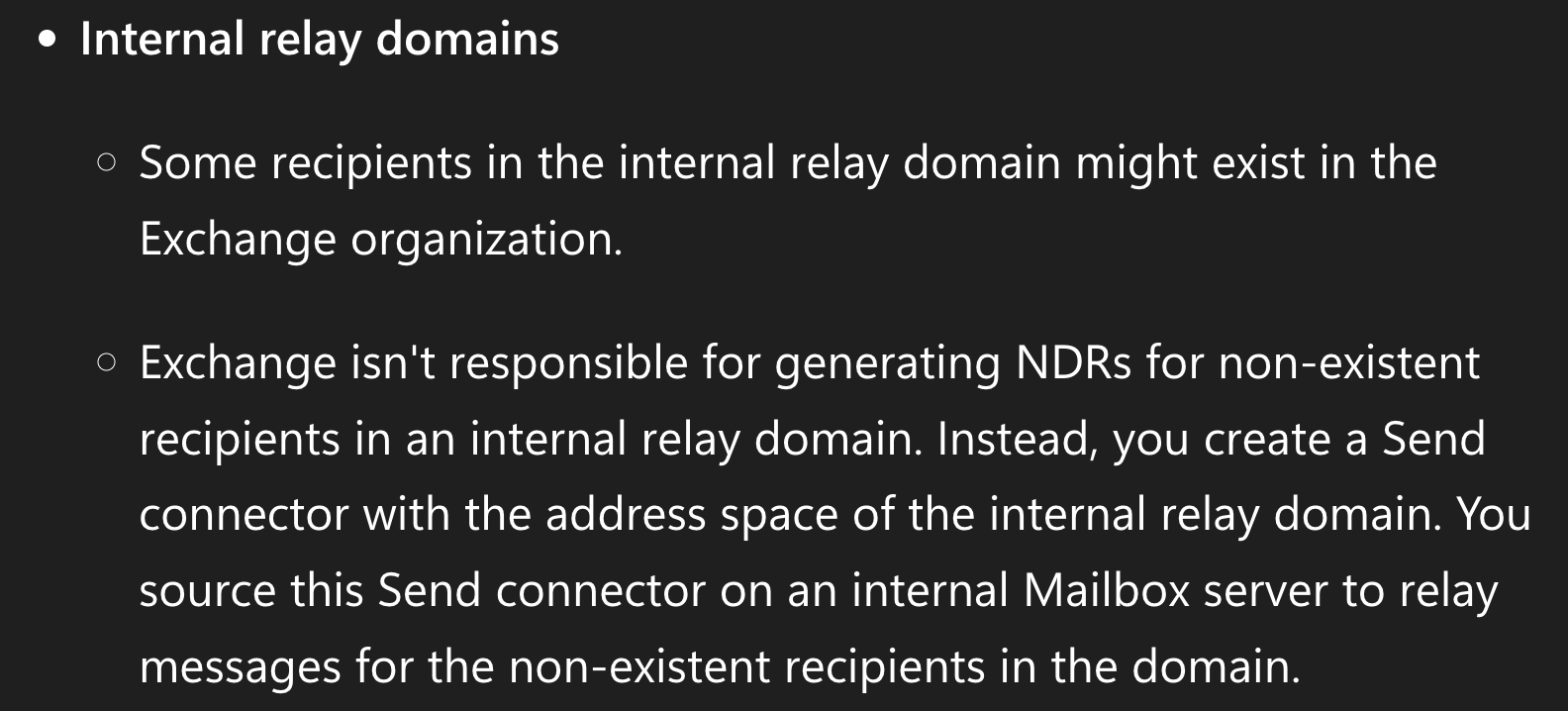
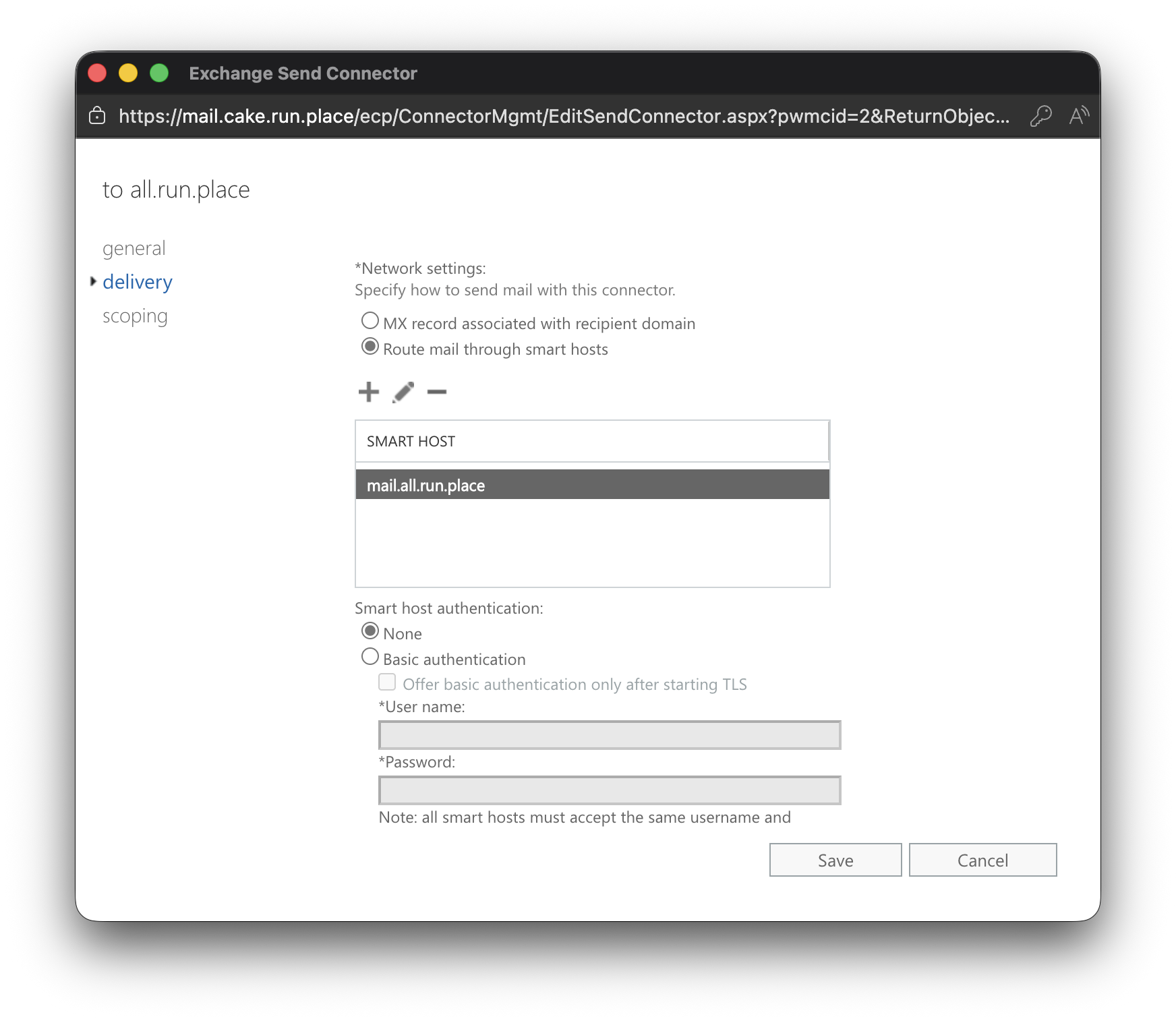
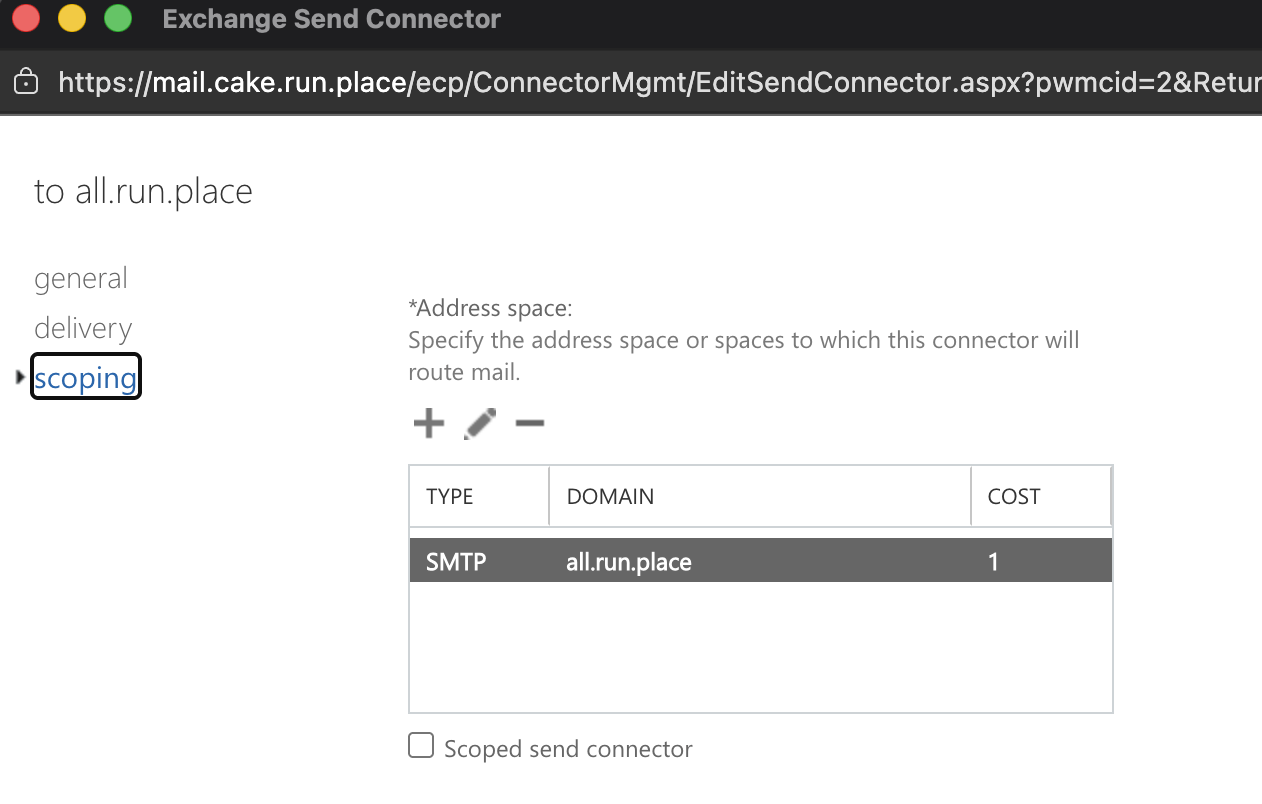
From the microsoft document, the internal relay domain can be used with sedn connector to source the recipients.
3. Result
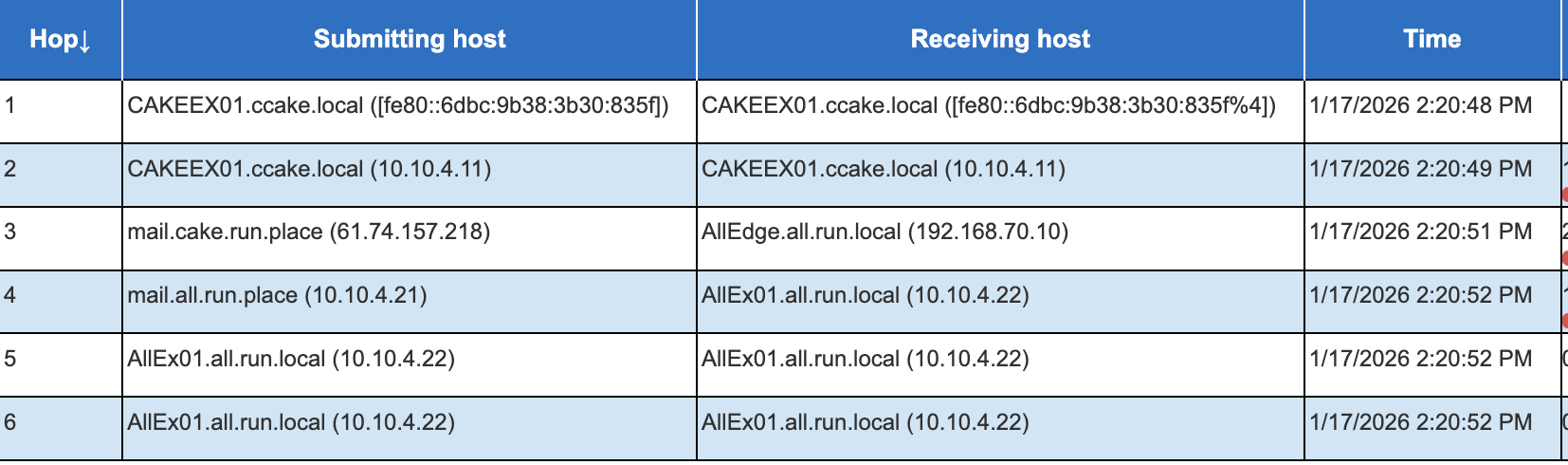
Cakeadmin sends a message to cake3@all.run.place and alladmin@all.run.place. We can check from the message header from each delivered messages.

from cake3@all.run.place:

from alladmin@all.run.place:
Hope this can help you guys!
Leave a comment