
[intune] screen saver auto deployment
1. Introduction
One of my clients want to deploy screen saver files and deploy automatically using intune. So the task is:
- Deploy screen saver(.scr) file to the specific path using Intune
- Configure the screen saver profile using the deployed scr file.
2. Packing the .scr and .cmd
See referrence 1 and the microsoft github address is: https://github.com/microsoft/Microsoft-Win32-Content-Prep-Tool
3. Deploy the file using .intunewin file
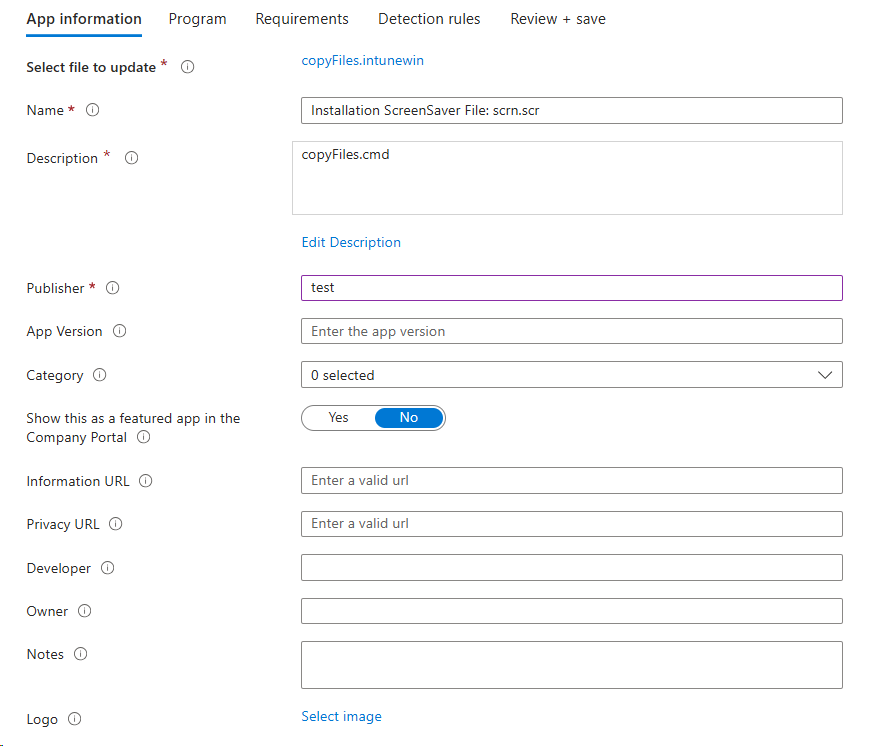
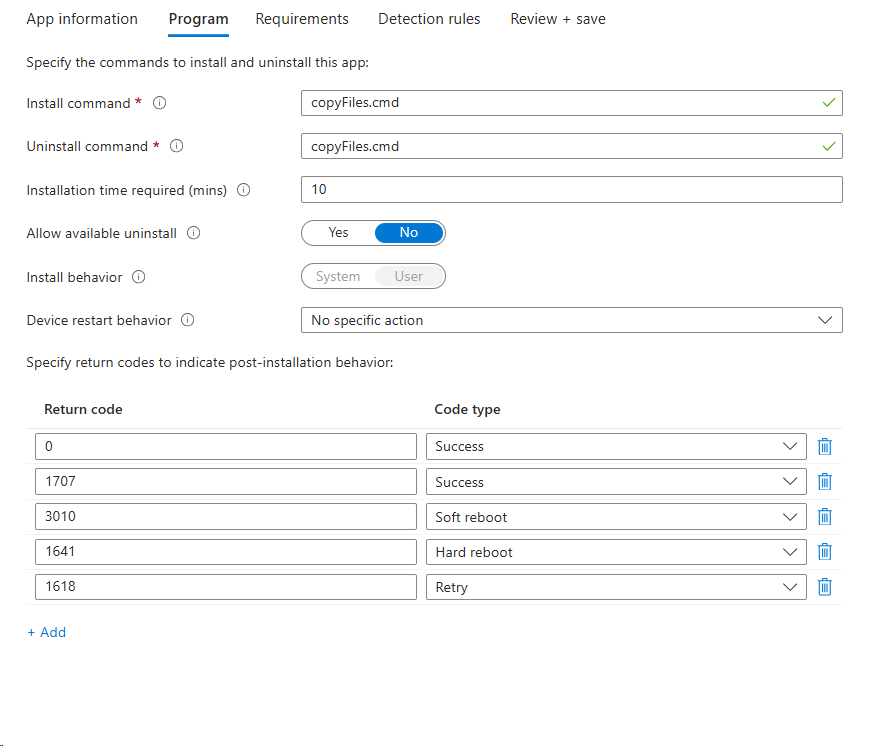
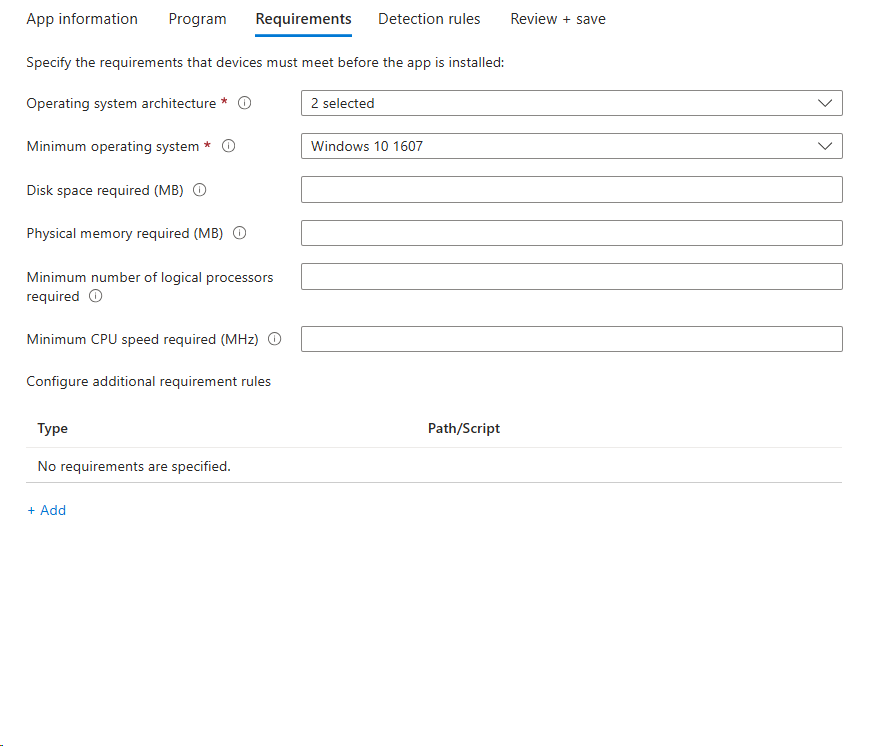
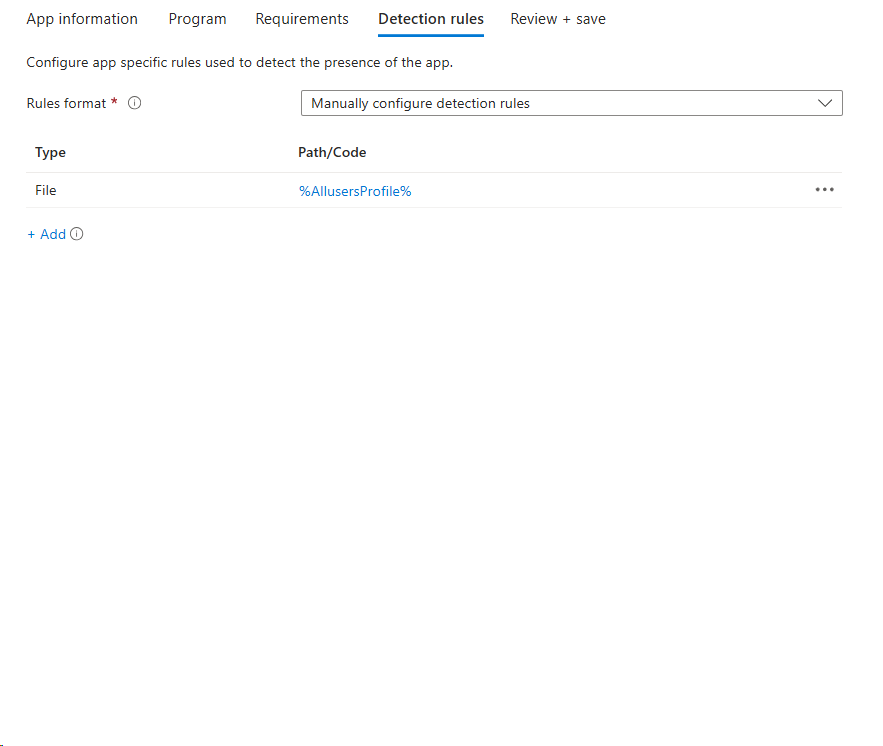
3. Configuration Profile - Activation SCR
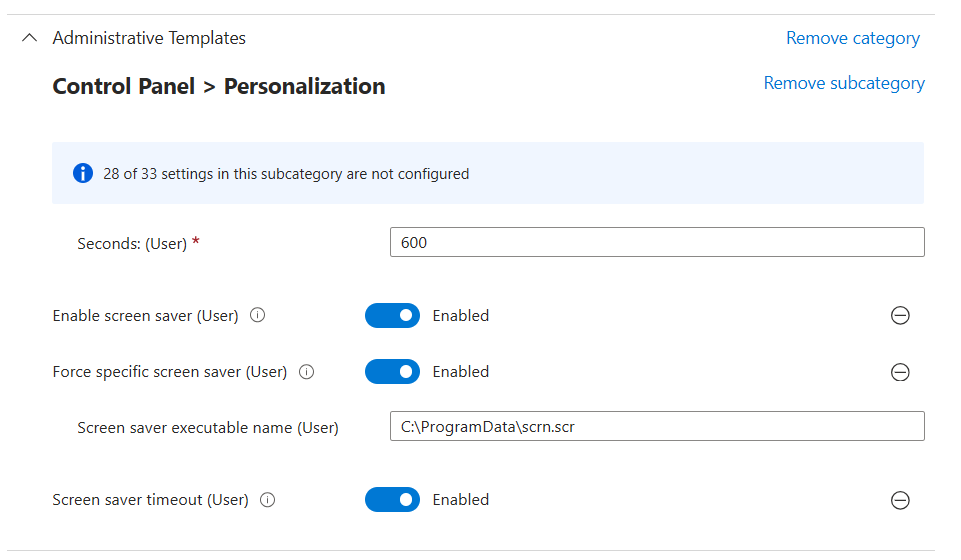
4. Notice
The activation of the screen saver time out have to be less than the power off time.
Referrence
- https://petervanderwoude.nl/post/deploy-customized-win32-apps-via-microsoft-intune/
Leave a comment