
Manual scp setup
1. 요약
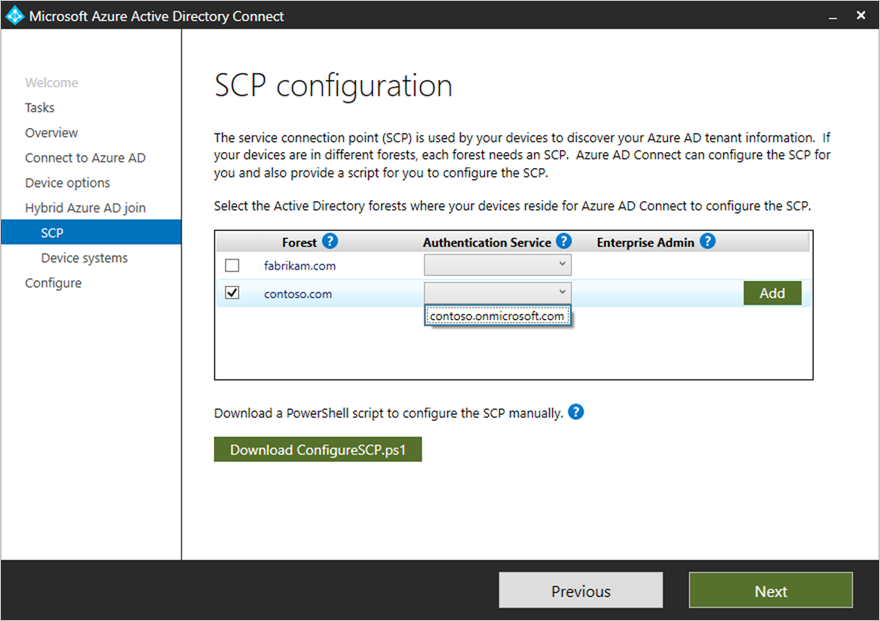
AADC에서 디바이스를 Entra Hybrid Join으로 올릴 수 없어서 관련 값을 수동으로 조정했다.
ref:
2. 이 작업이 필요했던 이유
이슈 발생
이 고객사는 여러 도메인을 AADC에서 하나의 테넌트로 올리려고 했던 고객사이다.
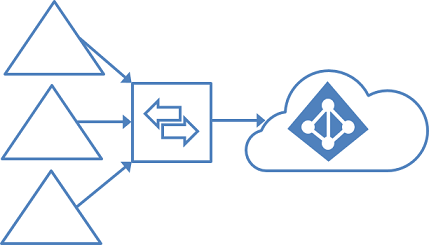
하지만 기존에 ADFS 구성되어있던 곳에 다른 지사들은 PHS 방식으로 동기화를 한 상태였는데, 문제는 나머지 지사들의 디바이스를 구성하려고 하니 AADC 서버는 ADFS 방식으로 디바이스를 동기화 시키려고 했다.
처리 방안
따라서 어쩔 수 없이 AD DC에서 관련 값들을 수동으로 직접 변경해줘야 했다. DC의 ADSI에서 작업이 필요했고, GPO로 MDM 관련 설정이 필요했다.
3. 작업 흐름
Edit ADSI on the DC
- Launch the ADSI Edit desktop application from and administrative workstation or a domain controller as an Enterprise Administrator.
- Connect to the Configuration Naming Context of your domain.
- Browse to CN=Configuration,DC=contoso,DC=com > CN=Services > CN=Device Registration Configuration
- Right click on the leaf object under CN=Device Registration Configuration and select Properties
- Select keywords from the Attribute Editor window and click Edit
- Select the values of azureADId and azureADName (one at a time) and click Remove
- Close ADSI Edit
이 작업은 SCP Configuration을 진행하면 자동으로 생성되는 값이다.
4. 관련 자료
Refer 1. https://learn.microsoft.com/ko-kr/entra/identity/devices/hybrid-join-manual 2. https://jorgequestforknowledge.wordpress.com/category/active-directory-domain-services-adds/adsiedit/ 3. https://cloudtech.nu/2020/03/09/configure-hybrid-azure-ad-joined-with-ad-connect/
5. 기타
위 구성을 한 뒤에 DC GPO에서 ‘Enable automatic MDM enrollment using default Microsoft Entra credentials’ 정책으로 자동등록을 뿌려주는 부분도 필요하다
https://learn.microsoft.com/ko-kr/windows/client-management/enroll-a-windows-10-device-automatically-using-group-policy
Leave a comment